To transcribe an interview, record it with the person’s consent, run the recording through a speech-to-text app, then check the transcript against the audio before you quote from it. On iPhone, Mangonote records or imports the interview and transcribes it on the device, with timestamps you can tap back to. The slow part, typing, is gone; what’s left is checking, which is the part that needs you.
This guide is for journalists, researchers, students and anyone hiring: how to set up the interview, get a clean transcript and find the quotes that matter.
Verbatim or clean: which transcript do you need?
Decide this first, because it changes how much editing you do afterwards.
| Verbatim | Clean (intelligent verbatim) | |
|---|---|---|
| Keeps “um”, “uh”, false starts, repeats | Yes | No |
| Notes pauses, laughter, crosstalk | Usually | Rarely |
| Grammar fixed | No | Lightly |
| Used for | Qualitative research, legal, linguistics | Journalism, articles, user research summaries, hiring notes |
Automatic transcripts usually land in between: speech recognition models tend to drop most fillers and add punctuation. If you need strict verbatim, plan time to listen through and add what was smoothed over.
Before the interview
- Get consent on tape. Ask before you start, then again after you hit record: “Is it OK if I record this conversation?” Recording laws differ by country and state, and research projects often have their own rules (an ethics board or IRB, for example). This isn’t legal advice; consent on the recording covers you in most situations.
- Pick a quiet room. Cafés are the classic mistake: espresso machines and music bury quiet answers.
- Place the phone between you, a little closer to the interviewee. Their words are the ones you’ll quote.
- Do a 10-second test and play it back.
- Turn on Do Not Disturb. A phone call can interrupt the recording.
Record or import the interview
In person: open Mangonote and tap Start Recording. Tap the settings button on the recording screen to set the Transcript Language if you know it. Pause between sessions; when you’re done, pause and tap the checkmark.
Recorded elsewhere (a Zoom call, a dedicated recorder, a colleague’s file): save it to the Files app, then in Mangonote tap + › Audio and pick it. Videos go through + › Video from Photos. Mangonote suggests files under 2 hours for the most reliable results.
Either way, transcription runs on the iPhone. It doesn’t need an internet connection, and the audio isn’t uploaded to be transcribed.
Check the transcript against the audio
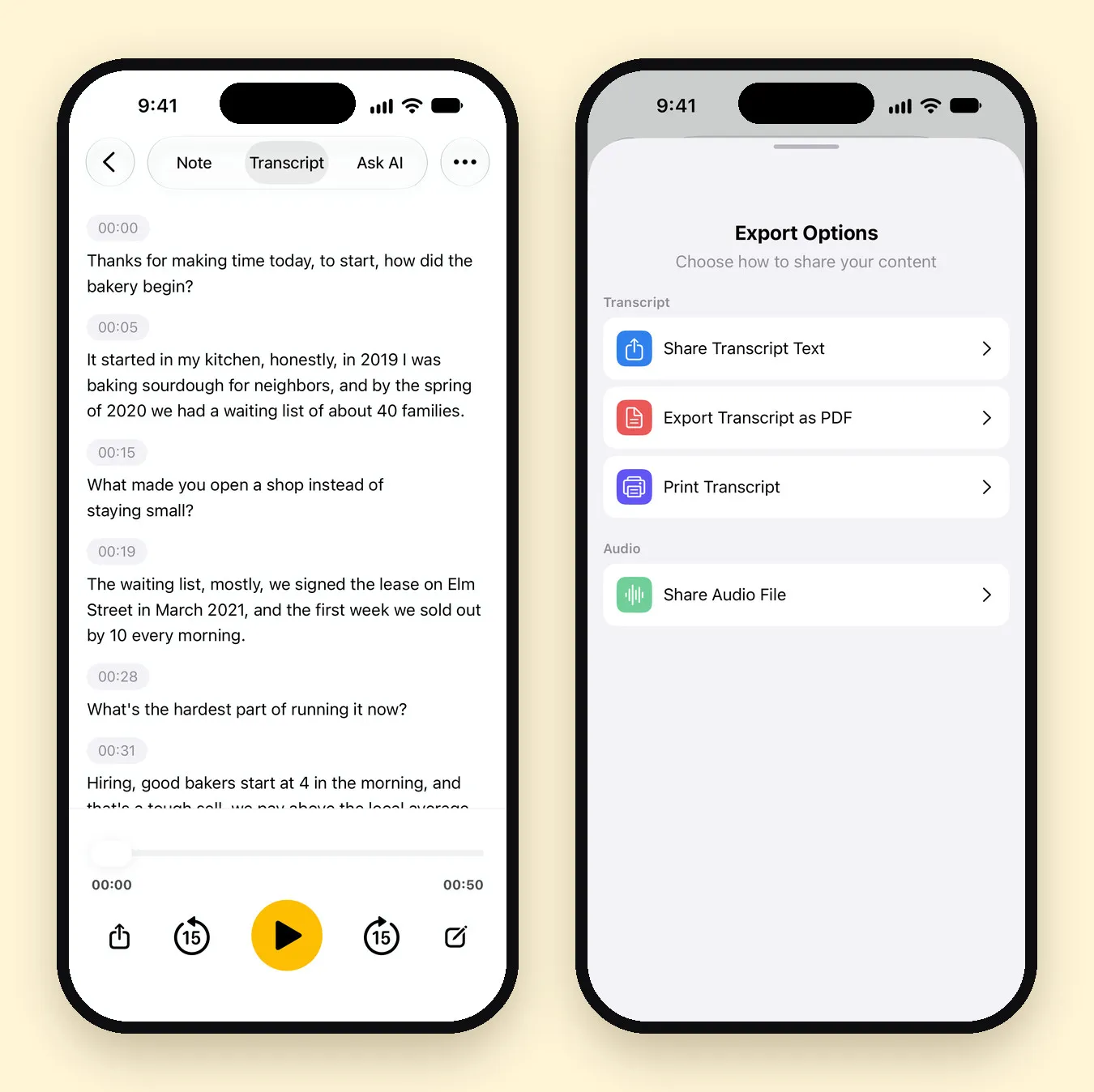
Open the note and go to the Transcript tab. Every line has a timestamp, and the player below lets you jump back 15 seconds or forward 15 seconds.
We tested this with a 51-second mock interview with a bakery owner, two voices, imported as an M4A file and transcribed with Whisper. Names, years and numbers all came out right: “in 2019 I was baking sourdough”, “a waiting list of about 40 families”, “we signed the lease on Elm Street in March 2021”. Two things to know from that test:
- There are no speaker labels. The transcript is split into timestamped lines, and a new line often starts at a pause, which in our test lined up with each question and answer. But it doesn’t say who’s talking. Tap a line to edit it and add a name, or Q: and A:.
- Punctuation is the model’s guess. “Thanks for making time today. To start, how did the bakery begin?” came out as one sentence with commas. Fix punctuation in the lines you’ll quote.
What to listen for
Check these against the audio every time:
- Names and places (people, companies, streets)
- Numbers, dates and money
- Negatives (“can” vs. “can’t” changes the whole quote)
- Quiet or overlapping speech
- Anything that sounds surprising. Speech models can occasionally write words that weren’t said, especially over silence or noise. The Associated Press reported on this problem with OpenAI’s Whisper in 2024. Keeping the audio next to the text, as Mangonote does, is what makes checking possible.
How do you find quotes fast?
- Search. Search on Home looks through your notes, so a word you remember finds the interview.
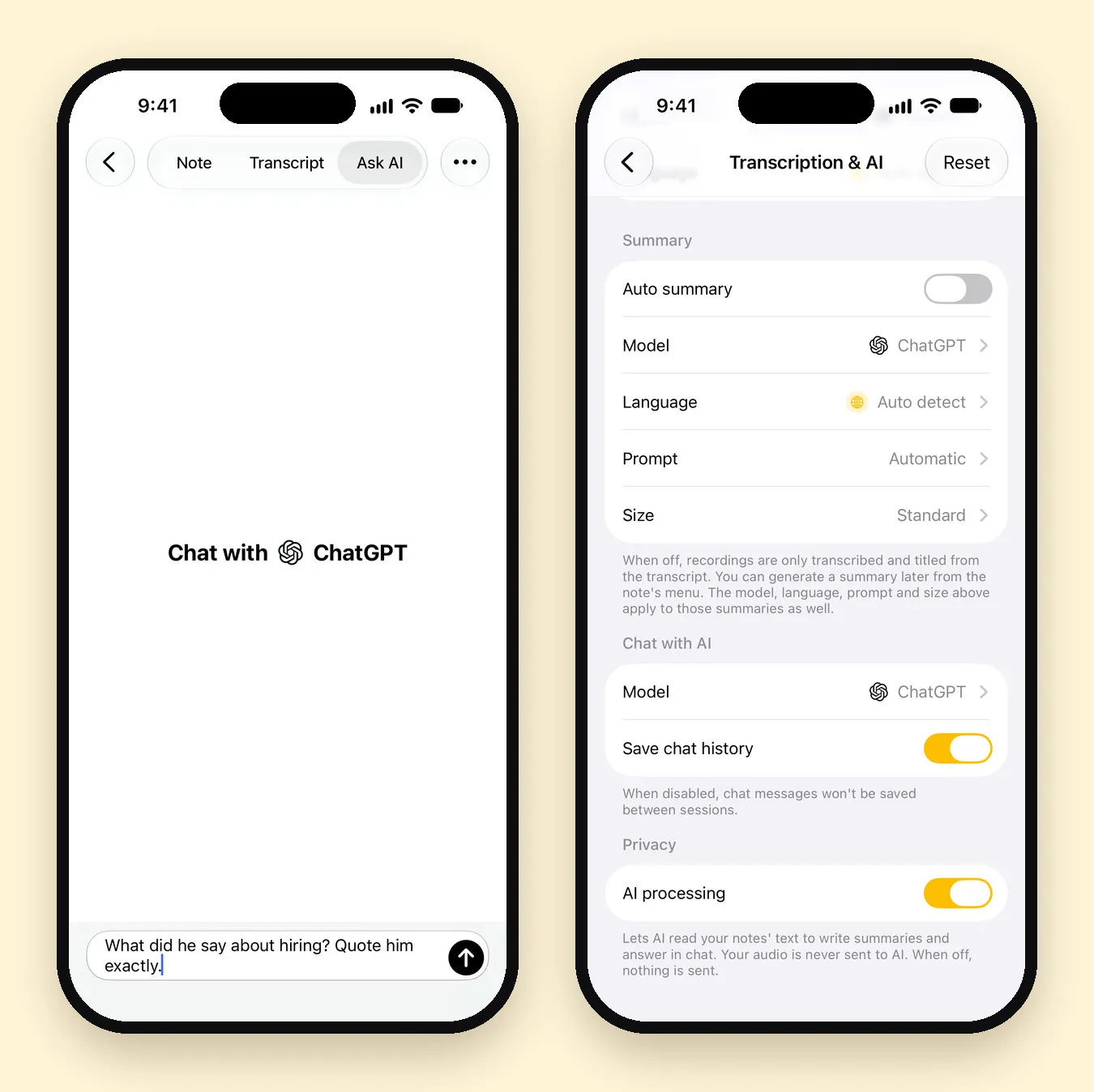
- Ask AI. On the Ask AI tab, ask “What did he say about hiring? Quote him exactly.” or “List every number mentioned, with the timestamp.” It answers from the transcript.
- Verify. An AI answer is a pointer, not a source. Find the line in the transcript, play it, and quote from the audio.
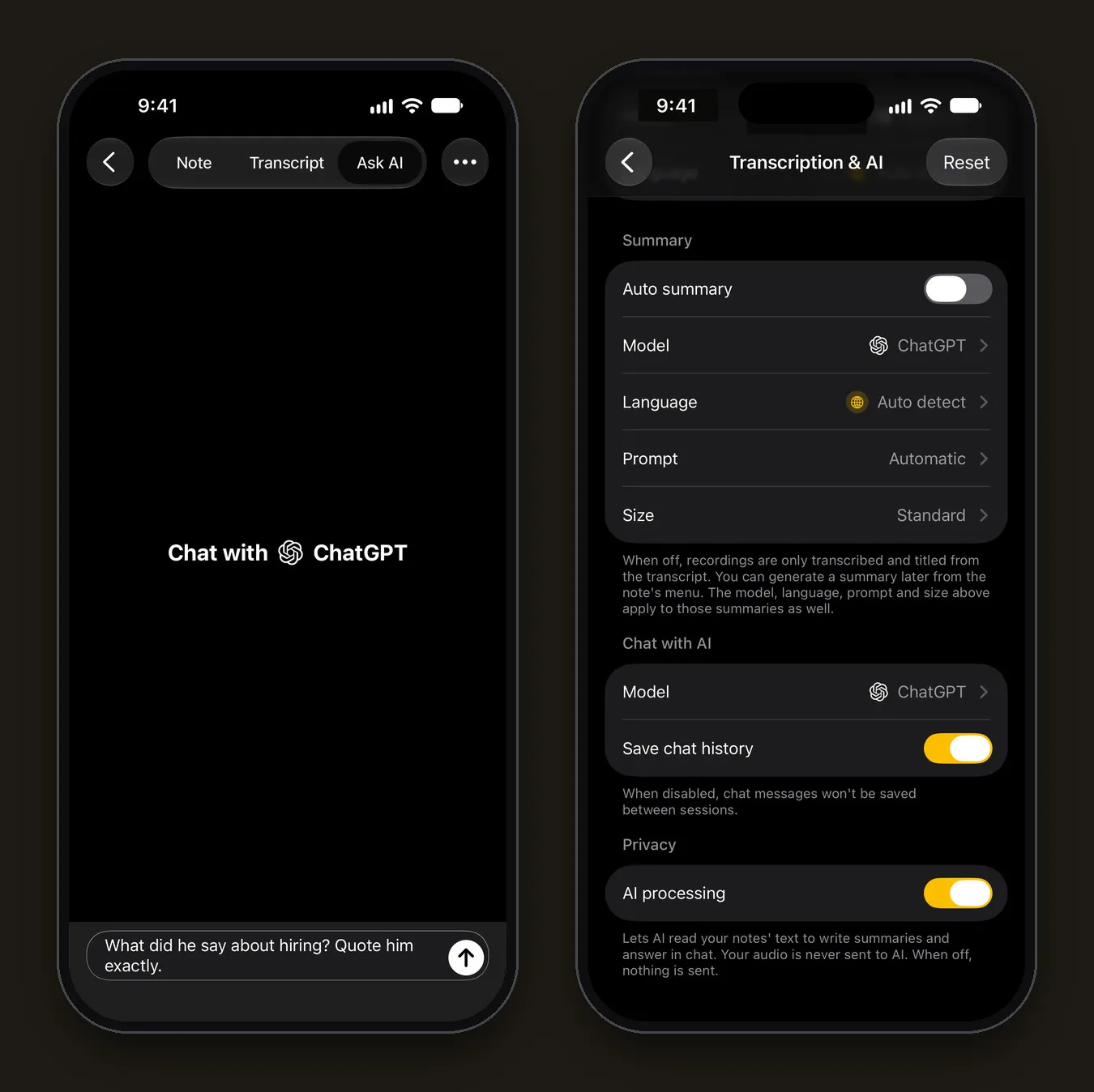
A summary can help too. The Automatic summary style recognizes an interview and writes a short overview of what was discussed, which is useful for research logs or hiring notes. For a story, work from the transcript, not the summary.
Export the transcript
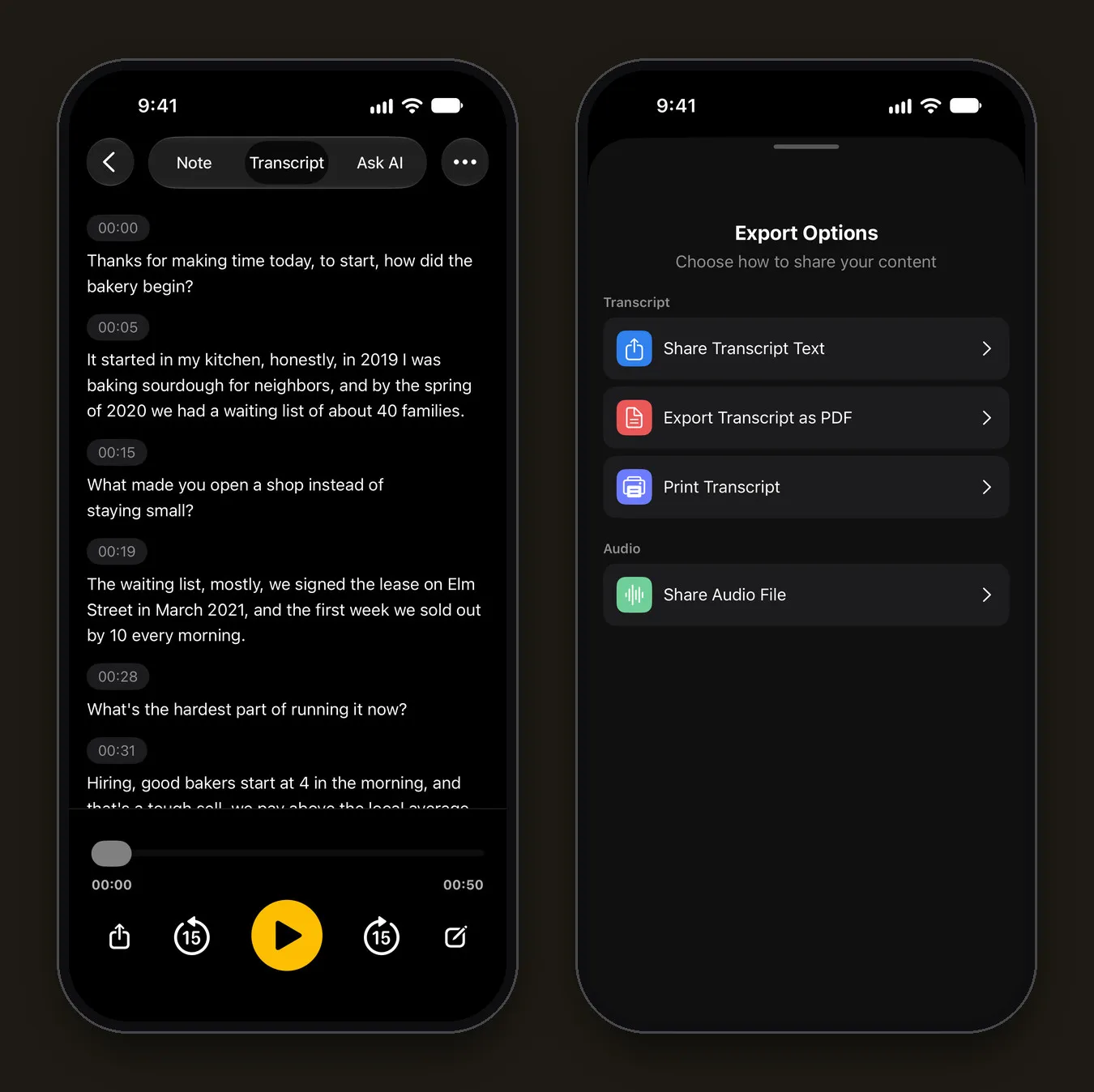
Open the note’s menu (•••) and tap Share. In Export Options:
- Share Transcript Text to paste into your editor, or into a qualitative analysis tool for research
- Export Transcript as PDF for a fixed copy to file or send
- Share Audio File to back up the original recording
Settings › Export all notes exports everything as Markdown files, one per note, if you keep interviews in Obsidian, Notion or a folder.
Why on-device transcription matters for interviews
Interviews often contain things that shouldn’t leave your hands: an anonymous source, an unpublished project, a candidate’s personal story. With Mangonote:
- The audio is transcribed on the iPhone and is never sent to Mangonote or to any AI service. With iCloud sync on, the recording is kept in your own iCloud.
- AI features are optional. Summaries and Ask AI send only the transcript text through Mangonote’s server to the AI provider you pick (OpenAI, Anthropic, Google or DeepSeek), with an anonymous app ID, and only after you agree.
- You can switch AI off in Settings › Transcription & AI › AI processing. When it’s off, nothing is sent; transcription keeps working.
For sensitive interviews, turn AI processing off before you import, and work from the transcript alone.
Related guides
- Whisper transcription on iPhone, offline: which model to use for your interview’s language
- How to record a meeting and get AI meeting notes
- Offline voice transcription on iPhone
- How to Transcribe a Podcast and Write Show Notes on iPhone
Frequently asked questions
What is the fastest way to transcribe an interview?
Record it with an app that transcribes automatically, then spend your time checking instead of typing. Typing a transcript by hand takes several times the length of the recording; checking an automatic one takes a fraction of that.
Does Mangonote label speakers?
No. The transcript is split into timestamped lines but doesn't say who is speaking. Add names yourself by editing a line, or keep a list of question timestamps while you interview.
Is the interview recording uploaded anywhere?
No. Mangonote transcribes on the iPhone, and the recording is never sent to Mangonote or to any AI service. If you use AI summaries or Ask AI, the transcript text goes to the AI model you pick, after you agree. You can turn AI off completely.
Can I transcribe an interview I recorded on another device?
Yes. Save the file to the Files app or the video to Photos, then import it in Mangonote with + › Audio or + › Video.
Can I trust an AI transcript for direct quotes?
Only after checking it. Speech recognition can mishear names, numbers and quiet speech, and some models occasionally add words that weren't said. Always confirm a quote against the audio before you publish it.
Which languages can I transcribe?
About 100 languages with Whisper and up to 1,600 with Omnilingual, on the device. Pick the interview's language in Settings › Transcription & AI › Language for the best result.
Start capturing the thoughts you keep losing
Download Mangonote, record your first note, and watch it become searchable text in seconds, right on your iPhone.