To record a phone call on iPhone, start recording from the call screen during the call (iOS 18.1 or later, in select regions and languages). Everyone on the call hears that it’s being recorded, and when you stop, the recording and a transcript are saved in the Notes app, in a Call Recordings folder. To turn the call into notes with a summary and action items, save the audio from Notes and import it into an app like Mangonote.
Here’s the whole flow, what each part can and can’t do, and the consent question.
Can iPhone record phone calls?
Yes, without any extra app. Apple’s guide, How to record a call on iPhone, covers phone calls and FaceTime audio calls starting in iOS 18. Apple’s Notes guide adds that you can view the transcript of a recorded call in Notes on iOS 18.1 or later. A few conditions, all from Apple:
- Regions and languages: call recording and transcripts are available in select regions and languages.
- Transcripts: audio transcription in Notes works on iPhone 12 and later in English, Spanish, Portuguese, Italian, French, German, Japanese, Korean, and Simplified and Traditional Chinese.
- Summaries: with Apple Intelligence (iPhone 15 Pro and later), Notes can summarize the transcript.
- Everyone is told: Apple’s Personal Safety guide notes that all participants hear an audio notice that the call is being recorded.
How to record a call on iPhone
- During a call, look for the record button on the call screen. Its place has moved between iOS versions; in newer versions it can sit behind the More button.
- Tap it. An announcement plays so everyone knows the call is being recorded.
- Stop by tapping the stop button, or just hang up.
- Open Notes › Call Recordings. The note has the audio and, where supported, the transcript.
That’s enough to replay what was said or search the transcript.
How to get notes and a summary from a recorded call
If you want more than a transcript (meeting-style notes, action items, a follow-up email, or a summary in another language), bring the audio into Mangonote:
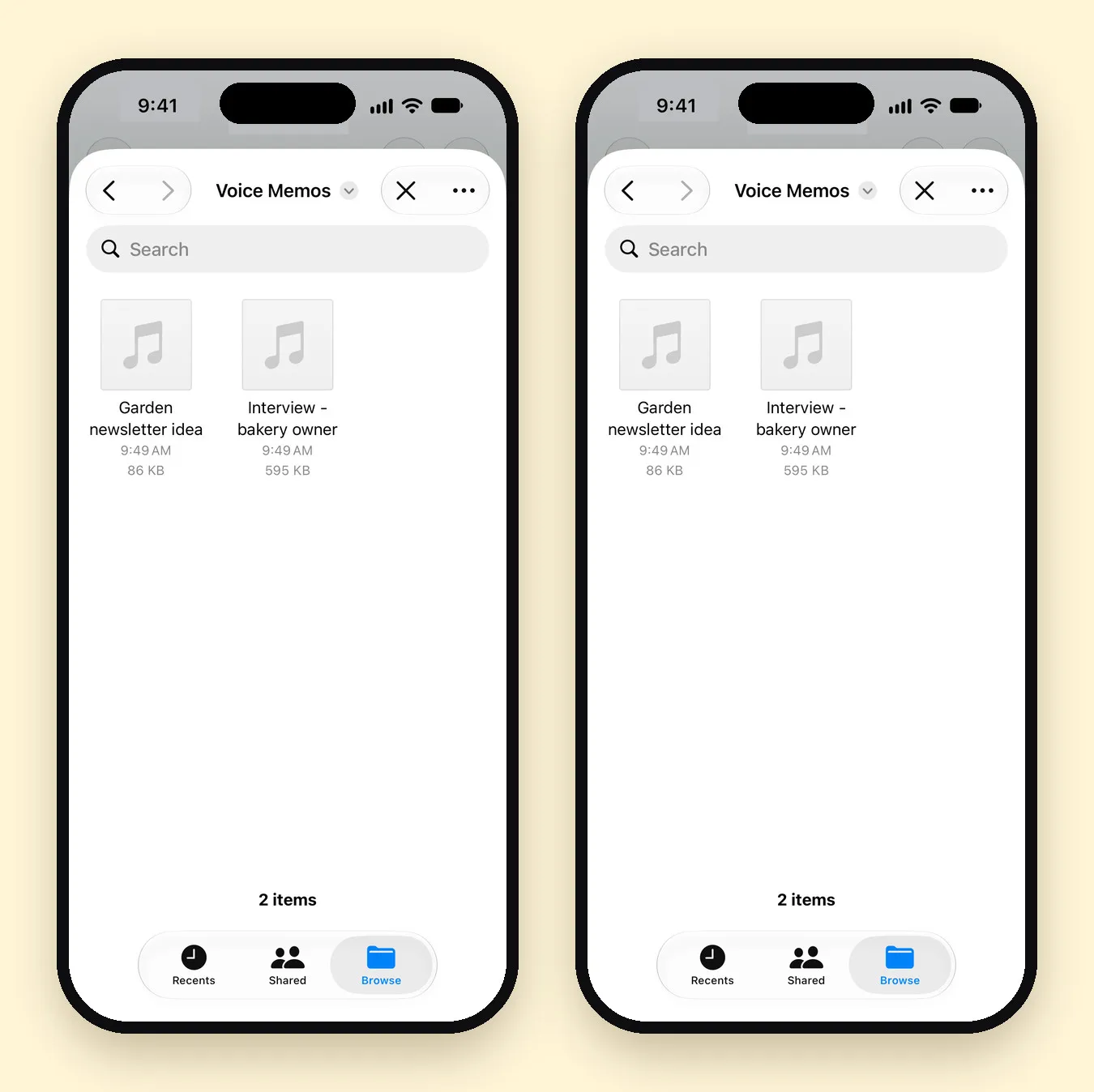
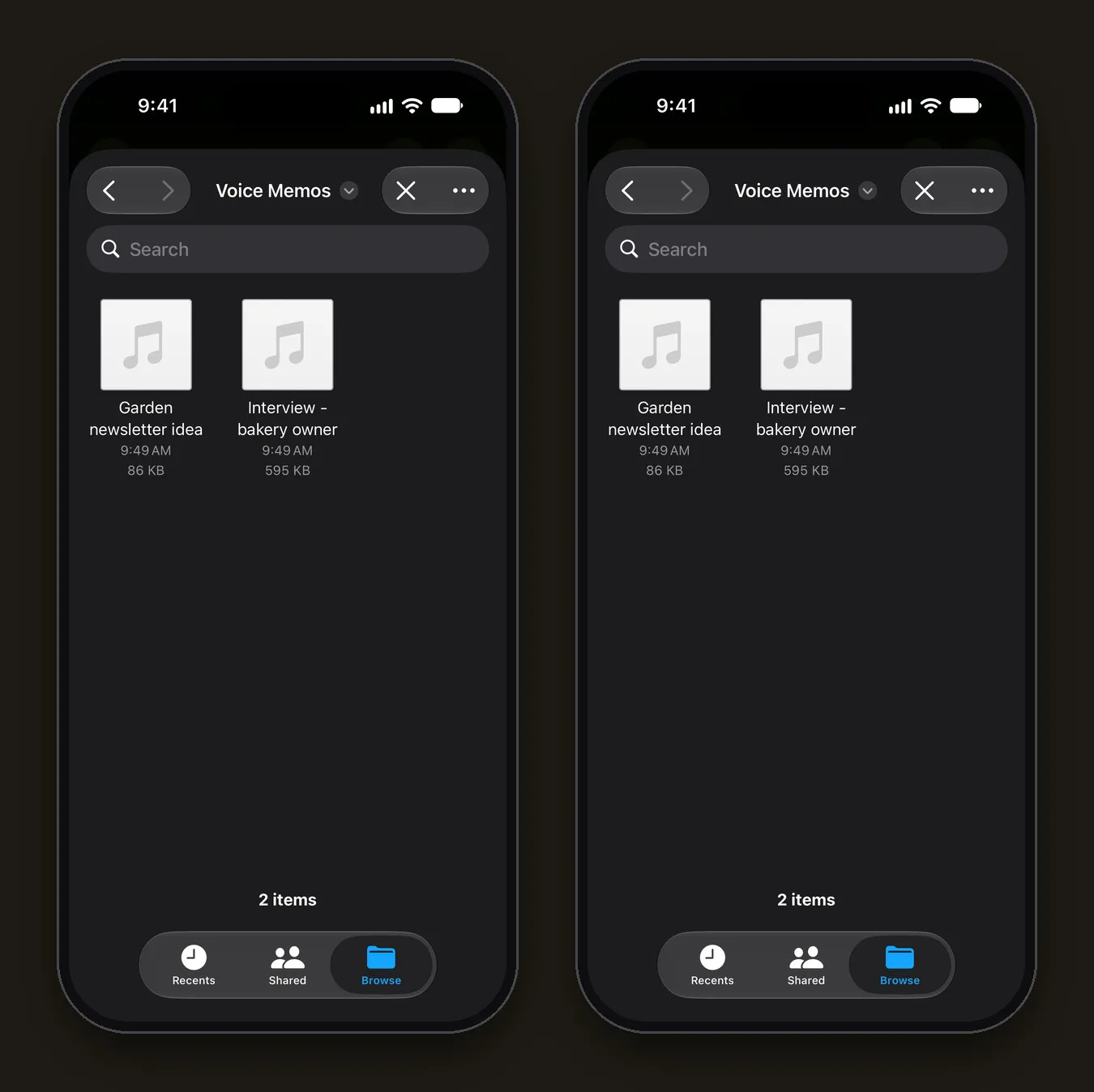
- In Notes, open the call recording, tap its menu and choose the option to save the audio. Save it to Files.
- In Mangonote, tap + › Audio and pick the file.
- Wait for the transcript. It’s made on your iPhone, offline; the audio isn’t uploaded.
- Read the summary on the Note tab (or tap Generate summary). Pick a style like Customer Support Resolution or Freelancer Client Brief, or write your own prompt.
Then use Ask AI for follow-ups: “What did the client agree to?”, “List every date mentioned”, “Draft a follow-up email”.
Notes app vs. Mangonote for call notes
| Notes (built in) | Mangonote | |
|---|---|---|
| Records the call | Yes | No; import the recording |
| Transcript | Yes, in 10 languages | Yes, on the iPhone, about 100 languages with Whisper |
| Summary | With Apple Intelligence (iPhone 15 Pro and later) | Styles, sizes and your own prompts, with the AI model you pick |
| Questions about the call | No | Ask AI |
| Organize and export | In Notes | Folders, search, text, PDF, Markdown |
Is it legal to record a phone call?
It depends on where you and the other person are. Some places require everyone’s consent, others only one person’s. The iPhone’s announcement tells people the call is being recorded, but it’s still good practice to ask before you start. This isn’t legal advice; check the rules where you live and work.
Tips for better call transcripts
- Use speaker or a headset consistently; switching mid-call changes the audio.
- Say names and numbers clearly, then check them in the transcript before you rely on them.
- Pick the language in Mangonote (Settings › Transcription & AI › Language) if the call wasn’t in your usual language.
- For calls on Zoom, Teams or Meet, use that app’s recording (with consent) and import the file. See how to record a meeting and get AI meeting notes.
Related guides
- How to transcribe an audio file on iPhone
- How to summarize a recording with AI
- How to transcribe voice memos on iPhone
Frequently asked questions
Can iPhone record phone calls?
Yes. Starting in iOS 18.1, you can record a phone call or FaceTime audio call from the call screen. The recording and a transcript are saved in the Notes app. It's available in select regions and languages.
Does the other person know the call is being recorded?
Yes. When call recording starts, everyone on the call hears an announcement that the call is being recorded. Still ask first; recording laws differ by place.
Where do iPhone call recordings go?
To the Notes app, in a folder called Call Recordings. Open the note to play the audio and view the transcript.
Can Mangonote record my calls?
No. Mangonote records through the microphone and imports audio and video files. Use the iPhone's built-in call recording, save the audio from Notes, then import it into Mangonote.
Why import a call into Mangonote if Notes already has a transcript?
For a summary in the format you choose, action items, questions with Ask AI, more transcription languages, folders and Markdown export. The transcript is made on your iPhone, and the audio isn't uploaded.
Start capturing the thoughts you keep losing
Download Mangonote, record your first note, and watch it become searchable text in seconds, right on your iPhone.