Meeting minutes are a short, shareable record of a meeting: who attended, what was decided, and who does what by when. Copy the free template below, fill in the header before the meeting, and during the meeting capture only decisions, action items and open questions. To write minutes faster, record the meeting (with consent) and let an AI note taker like Mangonote draft them in this exact format from the transcript.
Meeting minutes template
Copy this into your notes app, document editor or email:
# [Meeting name] – Minutes

**Date and time:** [date], [start]–[end]
**Location / call link:** [place]
**Chair:** [name]   **Minutes by:** [name]
**Attendees:** [names]
**Absent:** [names]

## Agenda
1. [Item]
2. [Item]
3. [Item]

## Decisions
- [Decision, stated plainly]

## Action items
| Owner | Task | Due |
|---|---|---|
| [Name] | [What, specifically] | [Date] |

## Discussion notes (optional)
- [Item 1: one or two lines of context]

## Open questions
- [Question] (owner: [name])

## Next meeting
[Date and time], [main topic]
Meeting minutes example
Here’s the template filled in for a short product meeting:
Q3 Product Roadmap Sync – Minutes Date: Monday, 10:00–10:30 · Attendees: Anna, Mark, Lisa
Decisions
- Offline mode ships first, starting in the first sprint of July.
- The sharing redesign follows once offline mode ships.
- The analytics dashboard moves to Q4.
Action items
- Anna: finish the offline sync spec by Friday
- Mark: estimate the sharing redesign by Wednesday
- Lisa: schedule user interviews for next week
Next meeting: Thursday at 10:00, to review the offline mode spec.
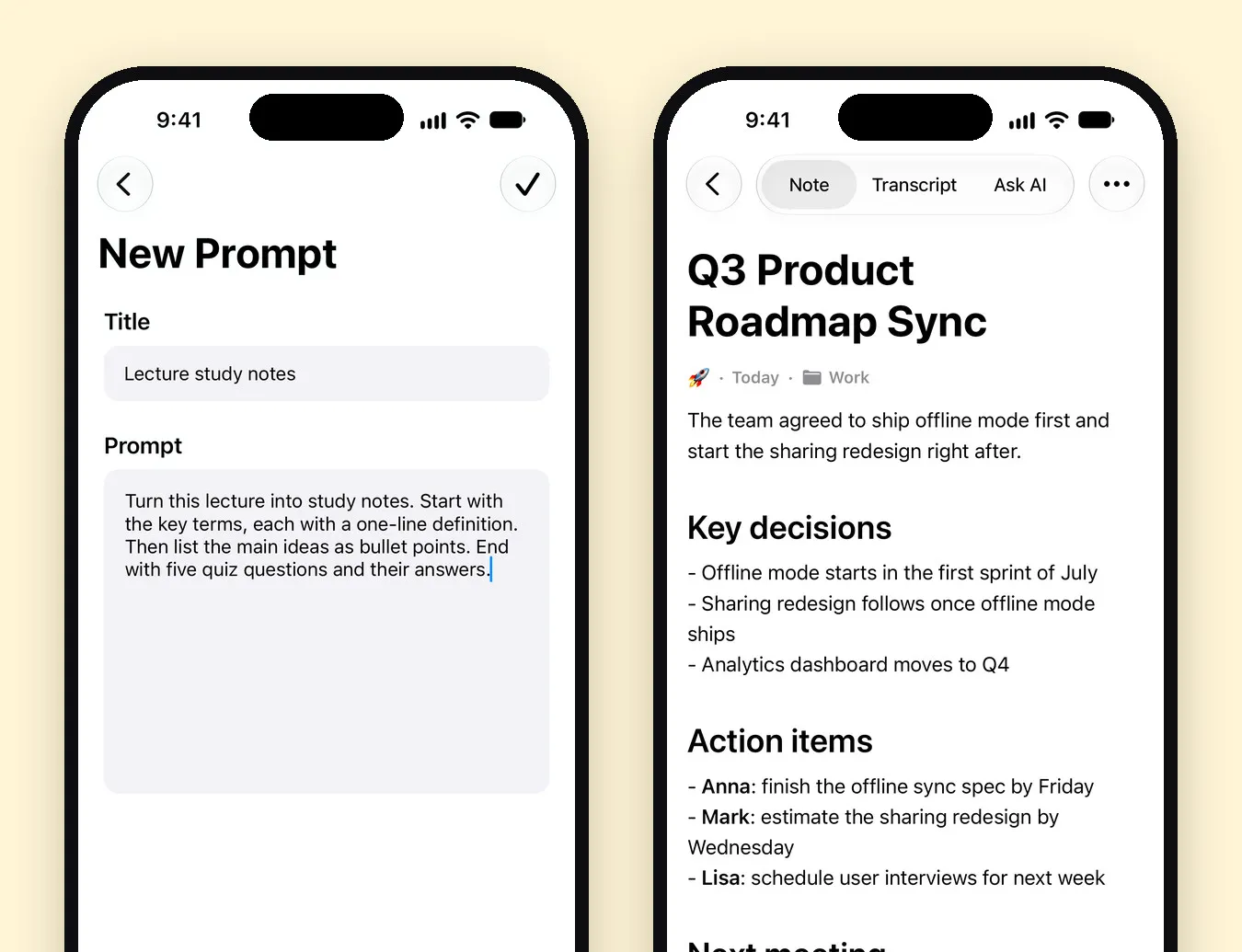
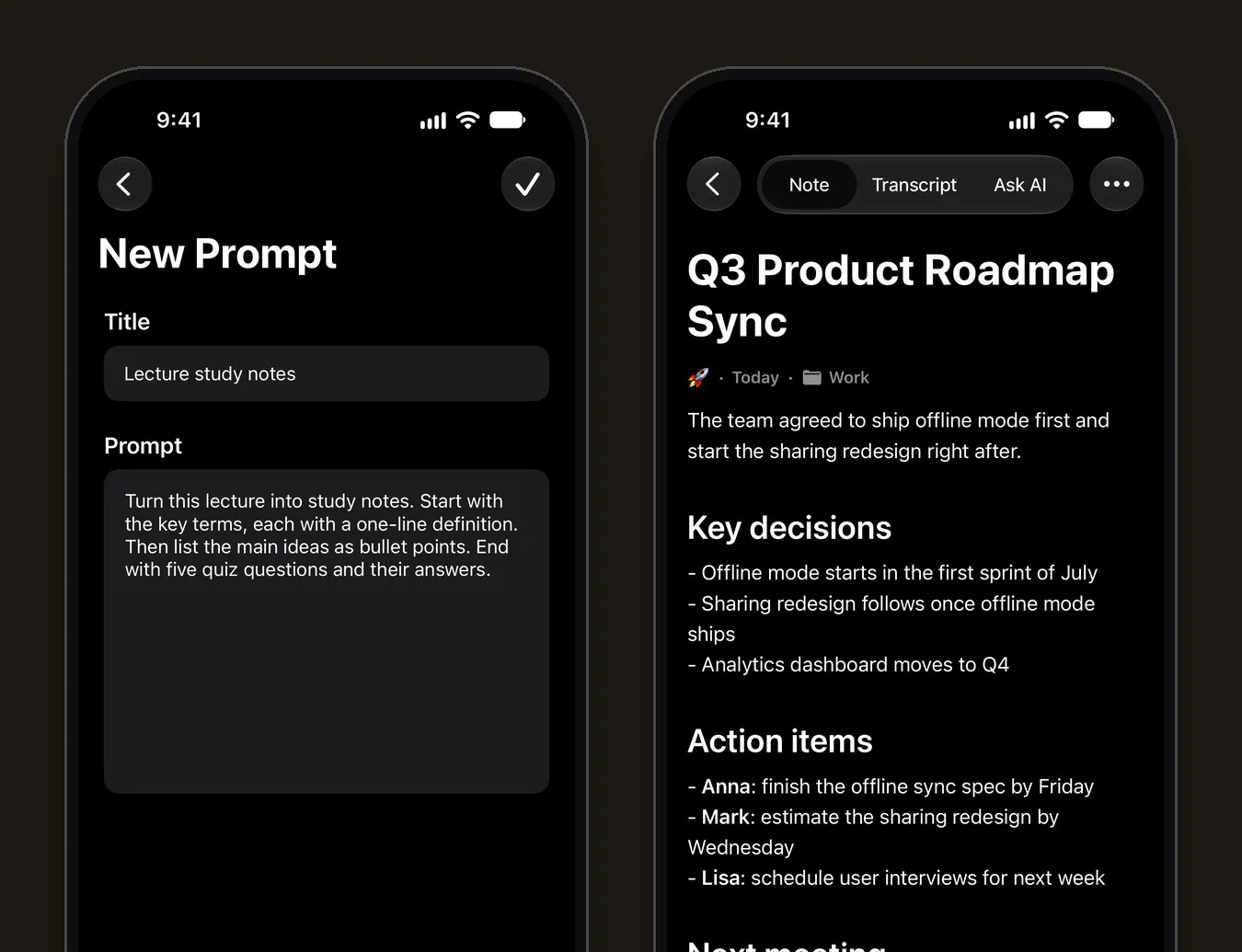
The decisions and action items here match one of Mangonote’s built-in sample notes, shown in the screenshot further down.
How to write meeting minutes, step by step
Before the meeting
- Fill in the header: name, date, attendees, agenda.
- Agree who takes the minutes. It’s hard to chair and take minutes at once.
- If you’ll record, ask everyone first, and check your organization’s rules.
During the meeting
- Write outcomes, not dialogue. “Decided: offline mode ships first” beats three paragraphs of who said what.
- Name an owner and a date for every action item. If nobody owns it, ask before moving on.
- Park open questions with an owner, so they don’t vanish.
After the meeting
- Send the minutes the same day, or within 24 hours.
- Ask attendees to flag corrections.
- File them with the previous minutes for the same meeting series.
Write minutes faster with a recording and AI
Typing minutes live means half-listening. Recording lets you take part, and AI turns the transcript into a first draft:
- Record in Mangonote with Start Recording, or import a recording of an online meeting with + › Audio or Video. The transcript is made on your iPhone.
- Save the template as a prompt: Settings › Transcription & AI › Prompt › +. Name it Meeting minutes and paste:
Write meeting minutes. Start with a line for the date and attendees if they’re mentioned. Then: Decisions (bullet points, plain statements). Action items as Owner: task, due date. Open questions with an owner. Next meeting. Leave out small talk. Don’t invent names, dates or decisions that weren’t said.
- Read the draft on the Note tab, and check names, numbers and dates against the Transcript tab.
- Share it: note menu (•••) › Share › Share Note Text or Export Note as PDF.
Prefer a ready-made format? The built-in Team Stand-Up Summary, Project Status Report and Quarterly Business Review styles cover common meetings, and Automatic detects a meeting and formats it for you.
Common mistakes in meeting minutes
- Too much detail. Minutes aren’t a transcript. Keep the transcript separately if people need it.
- Action items without owners or dates. They won’t happen.
- Opinions as facts. Record what was decided, not who was right.
- Sending them days later. Corrections get harder every day.
Related guides
- How to record a meeting on iPhone and get AI meeting notes
- How to summarize a recording with AI
- How to record a phone call on iPhone and get a transcript
Frequently asked questions
What should meeting minutes include?
The meeting name, date and time, attendees and absentees, the agenda, decisions made, action items with an owner and a deadline, open questions, and the next meeting. Minutes record outcomes, not every word said.
What's the difference between meeting minutes and meeting notes?
Minutes are the official, shareable record of what was decided and who does what. Notes are your own working record and can be messier. Many teams send minutes and keep notes or a transcript for reference.
How soon should minutes be sent?
Ideally the same day, or within 24 hours, while people still remember the meeting and can correct mistakes.
Can AI write meeting minutes?
It can draft them from a recording's transcript. In Mangonote you save the template below as a custom prompt, and every meeting comes back in that format. Always check the draft before sending.
Is it OK to record a meeting for minutes?
Only with everyone's agreement. Ask at the start, and follow your organization's rules and local law.
Start capturing the thoughts you keep losing
Download Mangonote, record your first note, and watch it become searchable text in seconds, right on your iPhone.