To summarize a recording with AI on iPhone, transcribe it first, then let a language model condense the transcript. In Mangonote that’s two taps: record or import the audio, which is transcribed on the iPhone, then tap Generate summary. You choose the style (meeting notes, lecture notes or your own prompt), the length (from 25–40 words up to 325–450) and the AI model that writes it.
Here’s how each choice changes the result, with prompts you can copy.
How does AI summarize audio?
It happens in two steps, and it helps to know which is which:
- Speech to text. A speech recognition model writes down what was said. In Mangonote this runs on the iPhone, offline, and the audio isn’t uploaded.
- Text to summary. A large language model reads the transcript and writes a shorter version. This runs in the cloud, on the model you pick. It sees the text, not the audio.
So a summary can only be as good as the transcript. If a name is misheard in step 1, the summary repeats the mistake.
How to generate a summary in Mangonote
- Record or import. Tap Start Recording, or + › Audio / Video for a file you already have.
- Open the note. If Auto summary is on (the default), the summary appears on the Note tab when processing finishes.
- Or tap Generate summary. If it’s off, the Note tab shows No summary yet with Generate summary and Write my own.
- Regenerate from the note’s menu (•••) after changing the style or size.
The first time, Mangonote asks whether it may send note text to AI. You can change your answer later in Settings › Transcription & AI › AI processing.
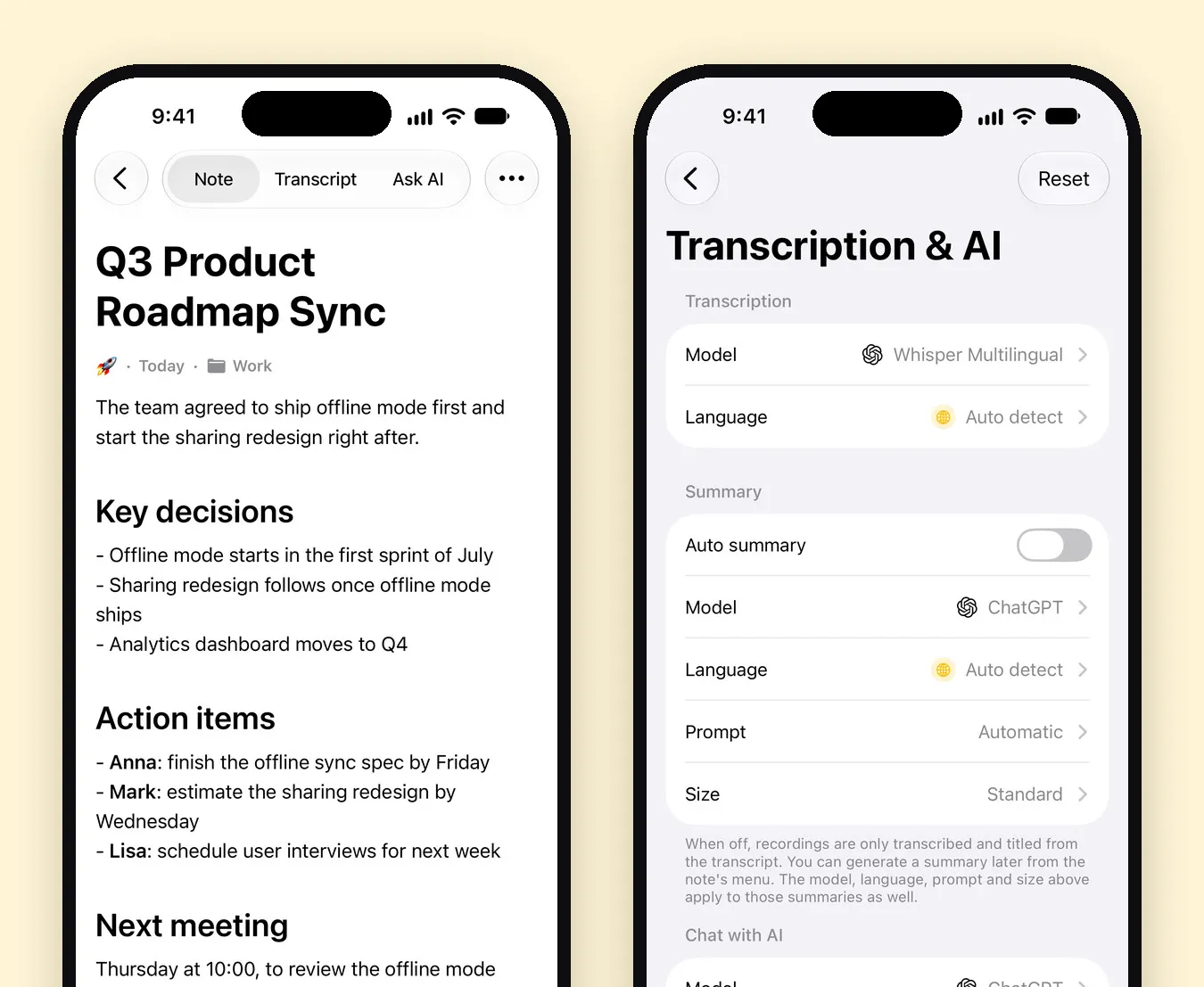
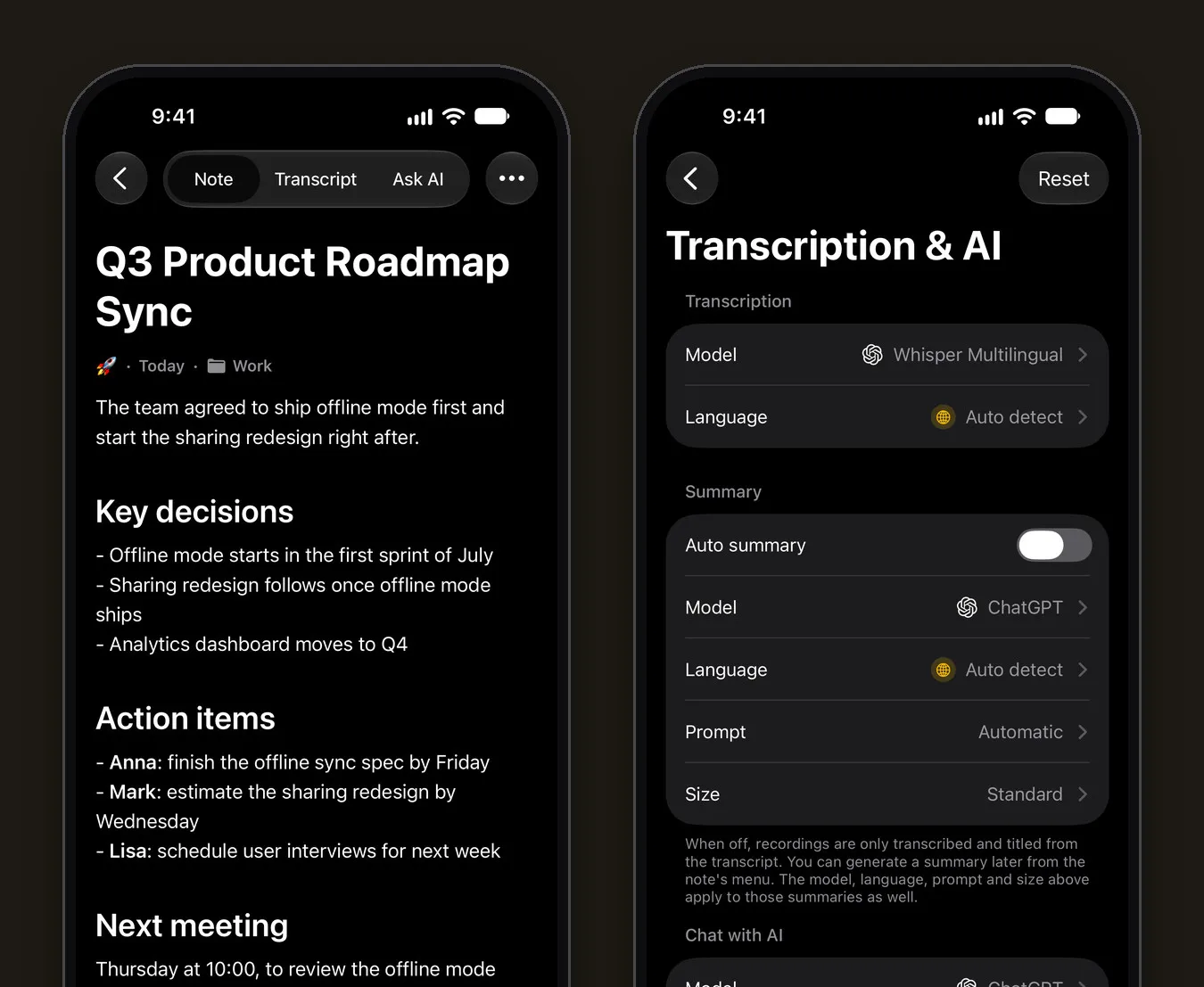
The note on the left is one of Mangonote’s built-in sample notes.
Pick a style: Automatic, a template or your own
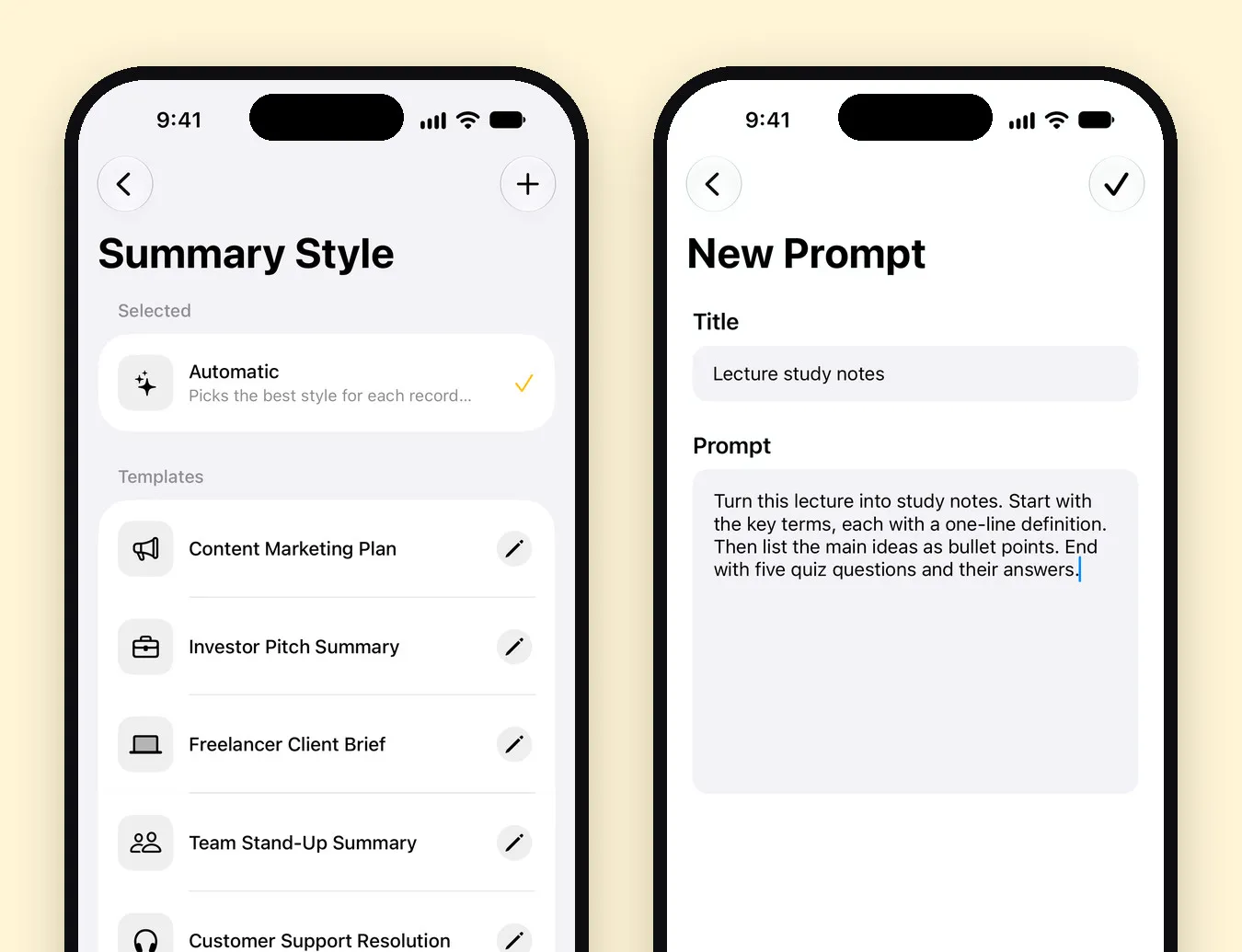
The Prompt setting decides the format.
- Automatic looks at the transcript and picks a format for what it hears: a meeting, a lecture, an interview, a phone call, a podcast, a voice memo and more. It’s the best default if your recordings vary.
- Templates are ready-made formats you can edit in place: Voice Memo Notes, Team Stand-Up Summary, Project Status Report, Quarterly Business Review, Customer Support Resolution, Freelancer Client Brief, Investor Pitch Summary and Content Marketing Plan.
- Your own prompt: tap + on the Summary Style screen, give it a name, and describe the output.
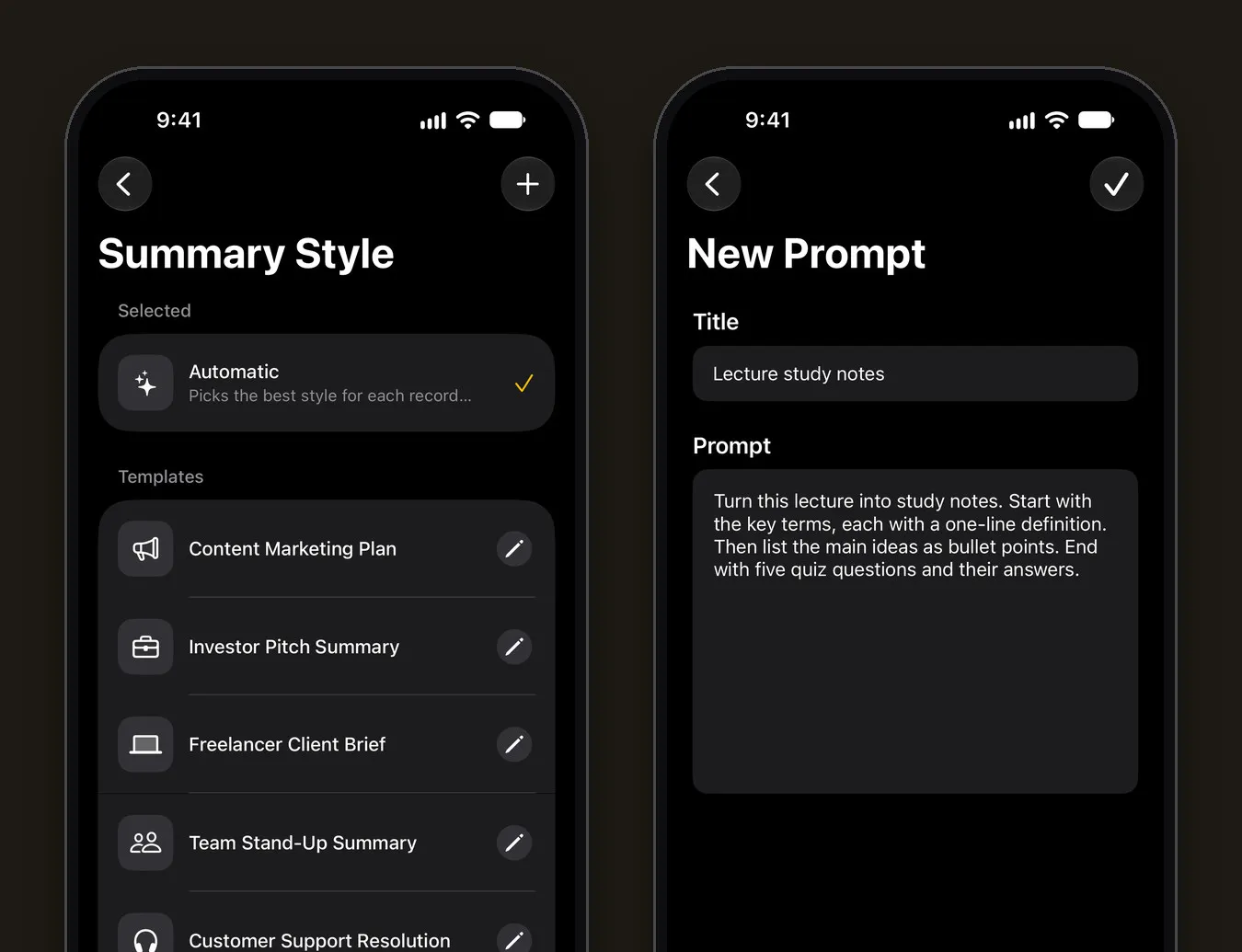
Prompts worth copying
| For | Prompt |
|---|---|
| Meetings | Start with the decisions. Then list every action item as Owner: task, deadline. End with open questions. |
| Lectures | Key terms with one-line definitions, the main ideas as bullet points, then five quiz questions with answers. |
| Interviews | Summarize the guest’s main points in order, and list the three most quotable sentences word for word. |
| Brain dumps | Turn this into a tidy to-do list grouped by project. Drop anything that isn’t a task. |
| Podcasts | Write show notes: a two-sentence description, the topics in order, and the people, books and links mentioned. |
Be specific about structure (“bullet points”, “a table”, “under 100 words”) and about what to leave out. Prompts that ask for exact quotes still need checking against the transcript.
Pick a length
Size sets how long the summary is:
| Size | Length | Good for |
|---|---|---|
| Brief | 25–40 words | A one-glance reminder in your list |
| Concise | 50–80 words | Voice memos, short calls |
| Standard | 100–150 words | Most meetings |
| Detailed | 195–260 words | Long meetings, lectures |
| In-Depth | 325–450 words | Workshops, multi-hour recordings |
Pick the model and the language
- Model: Mangonote can use models from OpenAI (ChatGPT), Anthropic (Claude), Google (Gemini) and DeepSeek. Summaries and Ask AI each have their own model setting. Models differ in style and in how closely they follow long prompts, so if a summary misses your format, try another.
- Language: Summary Language is separate from the transcript language. Leave it on Auto detect to summarize in the recording’s language, or set it to get, say, an English summary of a German meeting.
Check the summary before you share it
AI summaries are good at structure and bad at admitting what they don’t know. Before you send one on:
- Names, numbers and dates: confirm them on the Transcript tab.
- Decisions vs. suggestions: “we could ship in July” is not “we’ll ship in July”.
- Missing parts: if the recording covered more than the summary shows, try a bigger Size or a prompt that lists the sections you need.
What’s sent to the AI, and how to turn it off
- Sent: the transcript text, through Mangonote’s server and OpenRouter to the provider of the model you picked, with an anonymous app ID and no name or email. Only after you agree.
- Not sent: the audio. It’s transcribed on your iPhone and kept there and in your own iCloud.
- Off switch: Settings › Transcription & AI › AI processing. With AI off, you keep transcripts and on-device titles, and you can still write a summary yourself with Write my own.
Related guides
- How to record a meeting and get AI meeting notes
- How to record lectures and turn them into study notes
- 6 ways to get more out of your voice notes
- Meeting Minutes Template (Free) and How to Write Minutes Fast
- How to Transcribe a Podcast and Write Show Notes on iPhone
Frequently asked questions
How does AI summarize a recording?
First the speech is turned into text. In Mangonote that happens on the iPhone. Then a large language model reads the transcript and writes a shorter version in the format you ask for. The model never hears the audio, only reads the text.
Which AI models can I use?
Mangonote lets you pick the model for summaries and for Ask AI separately, from OpenAI (ChatGPT), Anthropic (Claude), Google (Gemini) and DeepSeek.
Can I get the summary in a different language from the recording?
Yes. Summary Language is its own setting, so a Spanish meeting can have an English summary. Auto detect writes it in the recording's language.
Is my recording sent to the AI?
No. Only the transcript text goes through Mangonote's server to the AI provider of the model you picked, with an anonymous app ID, and only after you agree. The audio stays on your iPhone and in your own iCloud.
Can I summarize without AI?
Mangonote's summaries use a cloud AI model. If you turn AI processing off, you still get the full transcript and an on-device title, and you can write your own summary with Write my own.
Is it free?
You can try summaries on the free plan, which has daily limits. Mangonote Plus removes them.
Start capturing the thoughts you keep losing
Download Mangonote, record your first note, and watch it become searchable text in seconds, right on your iPhone.