The best way to record a lecture on iPhone is to sit close to the speaker, turn on Do Not Disturb, and record with an app that transcribes for you, such as Mangonote. When the lecture ends, you get a transcript you can search, and AI can turn it into study notes, key terms and quiz questions. You stay in the lecture instead of racing to write everything down.
Here’s the full setup, from asking permission to having a searchable semester of notes.
Before class: can you record the lecture?
Ask first. Many universities have a policy on recording lectures, and some lecturers say no for good reasons (guest speakers, sensitive discussions, unpublished research). Students with a learning accommodation can often record through their school’s accessibility or disability services office, which handles the permission for them.
Then a quick setup:
- Do Not Disturb on. A call can interrupt a recording.
- Battery and storage. A long lecture is a big audio file; plug in if you can.
- Language. If the lecture is in a known language, set it in Mangonote under Settings › Transcription & AI › Language, or on the recording screen itself.
Where should you put your iPhone in a lecture hall?
Microphones pick up the loudest nearby sound, and in a lecture hall that’s often your neighbor’s typing.
- Sit near the front, ideally within a few rows of the lecturer.
- If the lecturer uses a microphone, sit near a loudspeaker; the amplified voice is clearer than the room echo.
- Put the phone on the desk, screen up, away from your laptop’s keyboard and fan.
- Don’t hold it. Handling noise is louder than speech.
How do you record the lecture?
- Open Mangonote and tap Start Recording.
- Optional: tap the settings button at the top and set the Transcript Language for this recording.
- During a break, tap pause. Tap play to continue in the same recording.
- At the end, pause and tap the checkmark. Mangonote transcribes the lecture on your iPhone. No Wi-Fi needed.
On the free plan, each recording has a time limit, shown on the recording screen. For full-length lectures, Mangonote Plus removes it.
How do you turn a lecture recording into study notes?
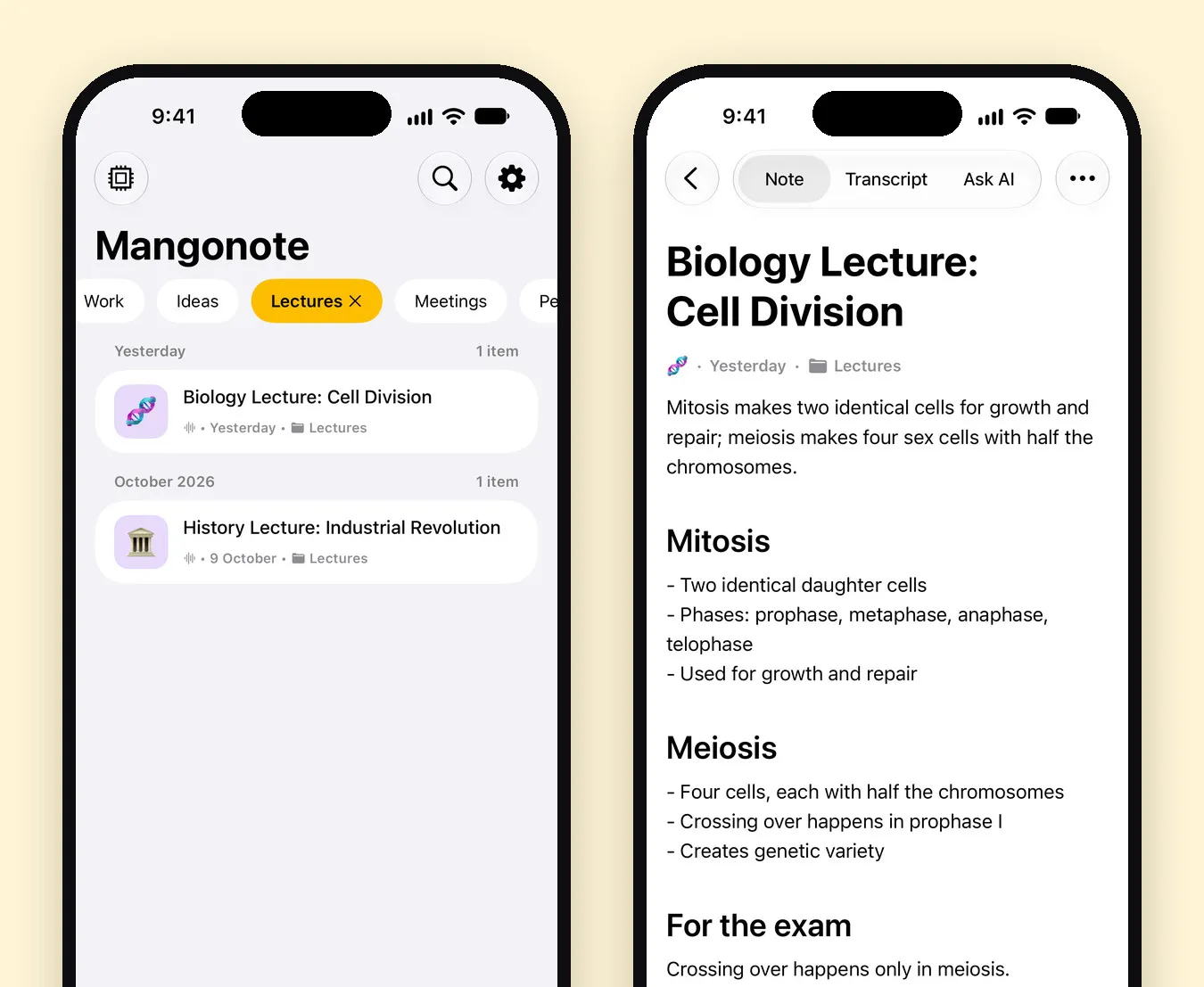
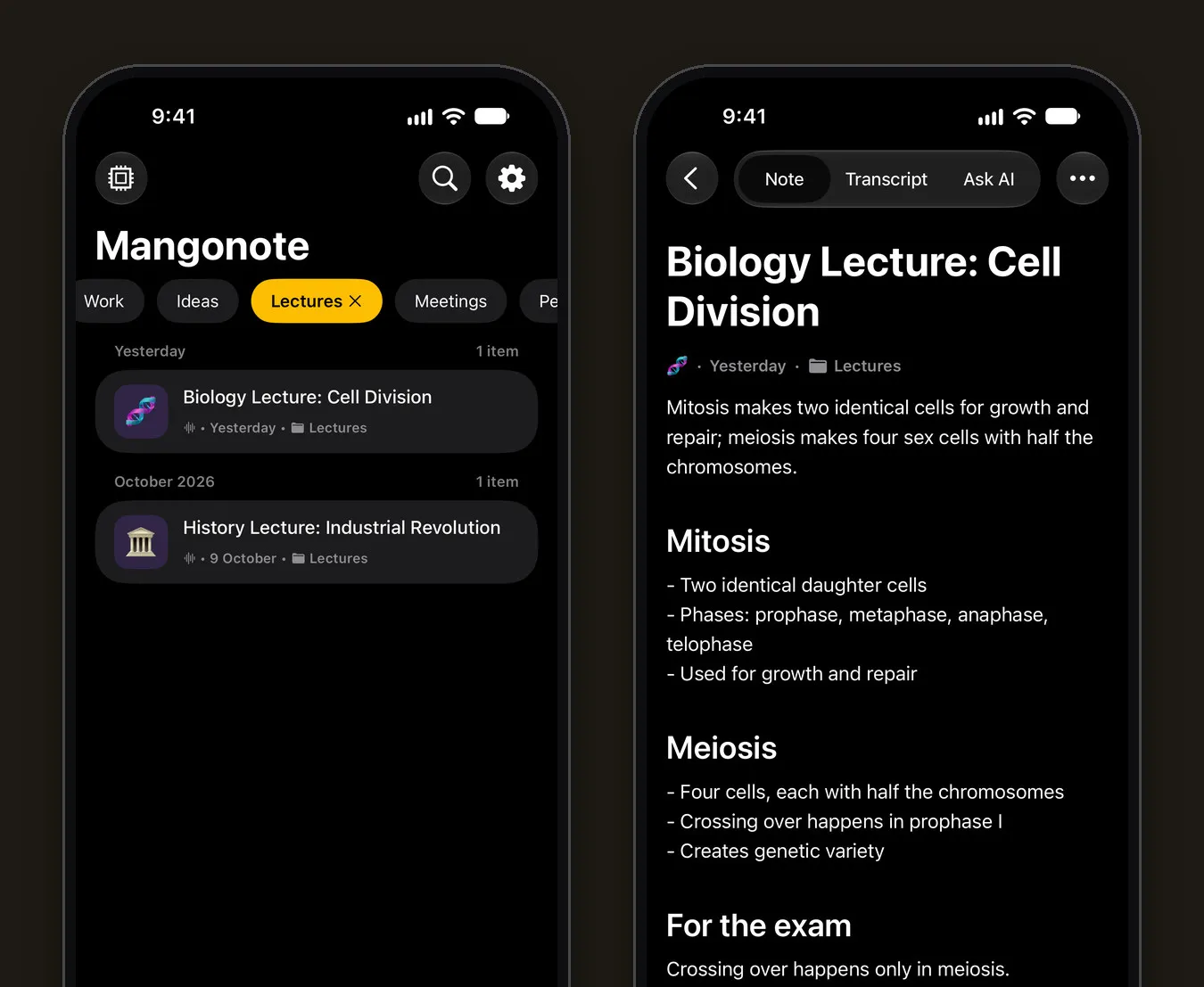
Once the transcript is ready, AI can write a summary. The Automatic style recognizes a lecture and formats the summary for it. Below is one of Mangonote’s built-in sample notes, a biology lecture: a one-line summary, a section per topic, and a For the exam note at the end.
Write a study-notes prompt
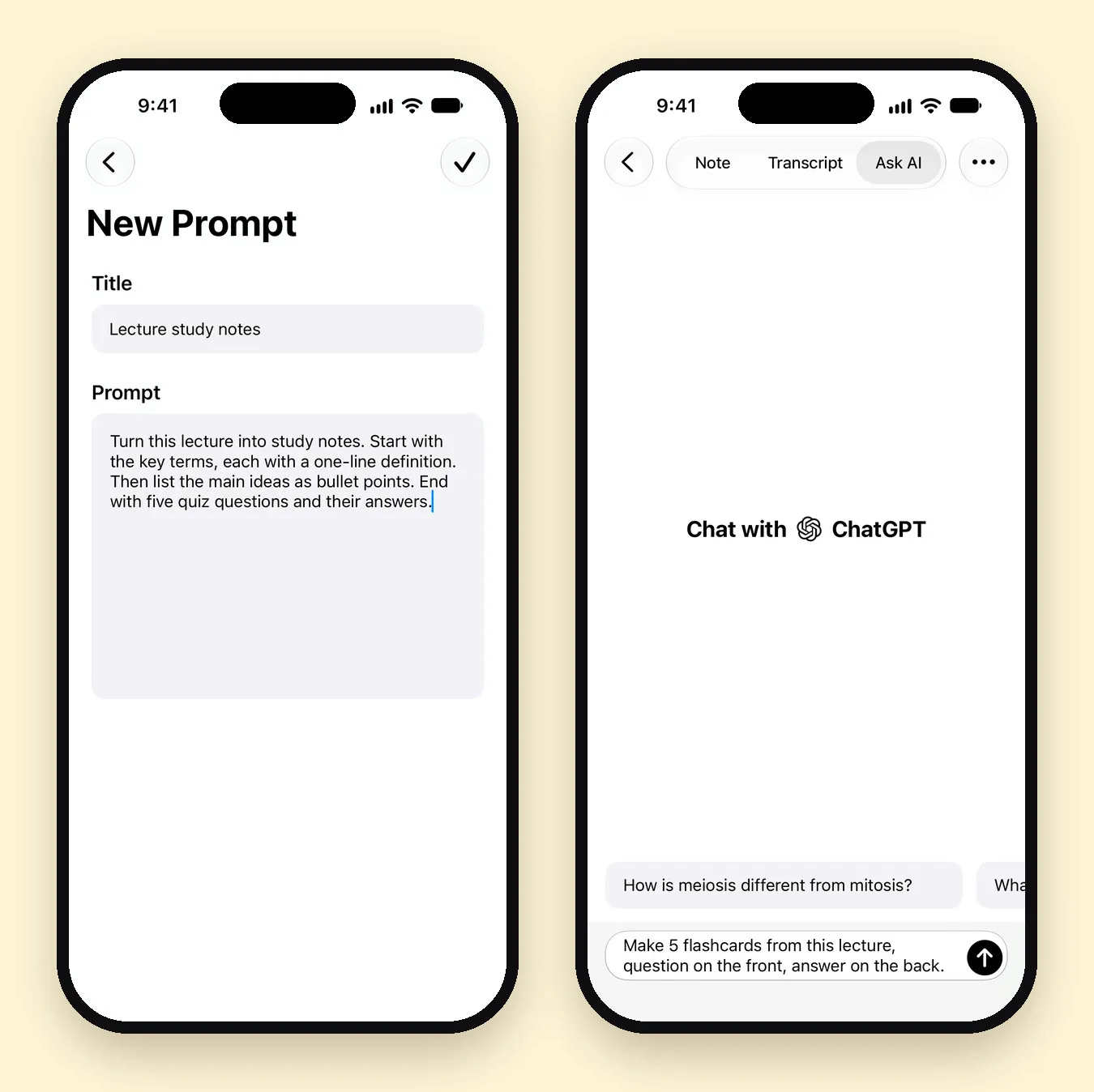
For revision, a prompt of your own works better than a generic summary. Go to Settings › Transcription & AI › Prompt, tap +, and write what you want. This is the one we used:
Lecture study notes: Turn this lecture into study notes. Start with the key terms, each with a one-line definition. Then list the main ideas as bullet points. End with five quiz questions and their answers.
Set Size to Detailed or In-Depth for long lectures, so nothing important gets squeezed out. If the lecture is in one language and you study in another, set the summary Language separately.
How do you study with Ask AI?
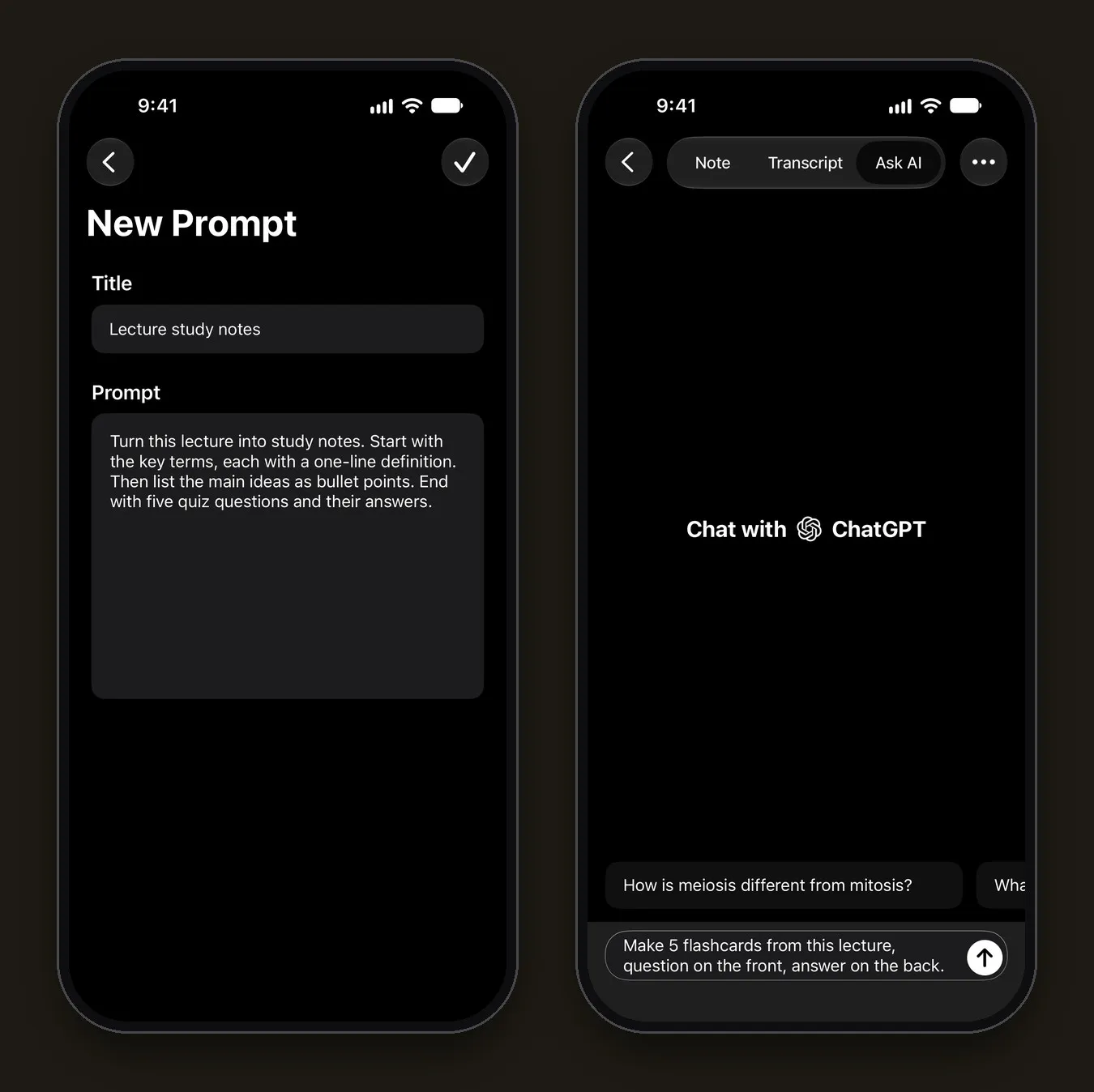
The Ask AI tab answers questions using the lecture itself. It even suggests a few to start with, like “How is meiosis different from mitosis?” on the biology note. Requests that work well for studying:
- “Make 5 flashcards from this lecture, question on the front, answer on the back.”
- “Explain the Calvin cycle like I’m in high school.”
- “What did the lecturer say will be on the exam?”
- “Quiz me on this lecture, one question at a time.”
Ask AI can look things up on the web when the lecture doesn’t cover something, and it can add what it writes to the note. On the free plan you get 5 messages a day.
Check what matters. AI summaries and answers can be wrong, and transcripts can mishear technical terms. Before an exam, compare key definitions and formulas against the Transcript tab and your textbook.
How do you keep a whole semester organized?
- One folder per course. Add each lecture to a folder like BIO 101. Folders appear as chips at the top of Home, so one tap shows a course.
- Emoji and color. Every note gets an emoji and a color, which makes a long list easier to scan.
- Search. Search looks through titles and transcripts, so “Calvin cycle” finds the lecture that mentioned it.
- Export. Settings › Export all notes saves every note as a Markdown file, in a folder per course, ready for Notion or Obsidian.
More habits like these are in 6 ways to get more out of your voice notes.
What about recorded lecture videos?
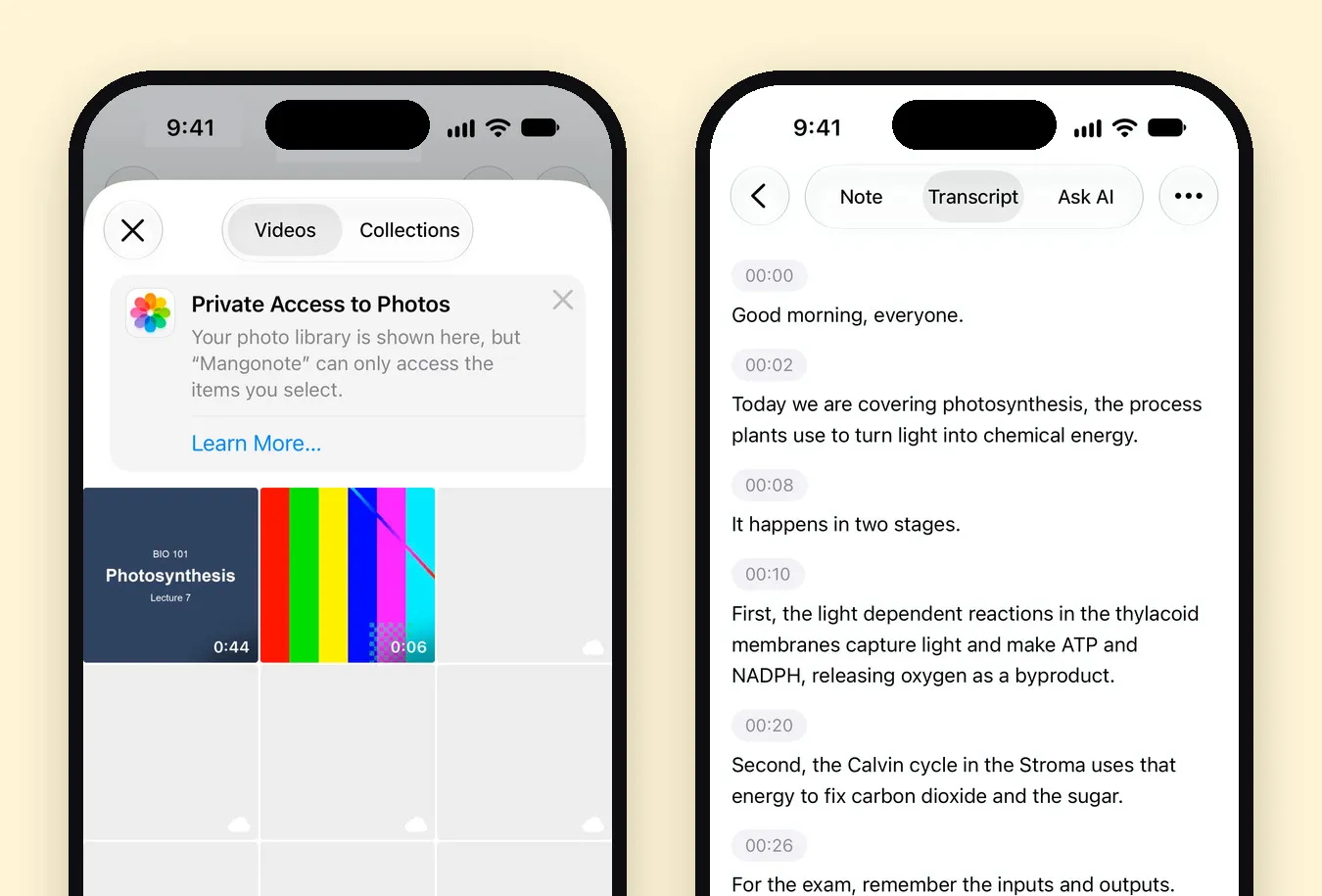
If your course posts lecture videos, you don’t need to replay them to take notes. Save the video to Photos, then in Mangonote tap + › Video and pick it. Mangonote transcribes the audio track on your iPhone.
We tried it with a 44-second sample clip of a biology lecture on photosynthesis. The transcript got ATP, NADPH and the Calvin cycle right and made two slips: “thylakoid” came out as “thylacoid”, and “fix carbon dioxide into sugar” as “fix carbon dioxide and the sugar”. Both are easy to fix by tapping the line, and both are the kind of error to look for: specialist spellings and short connecting words.
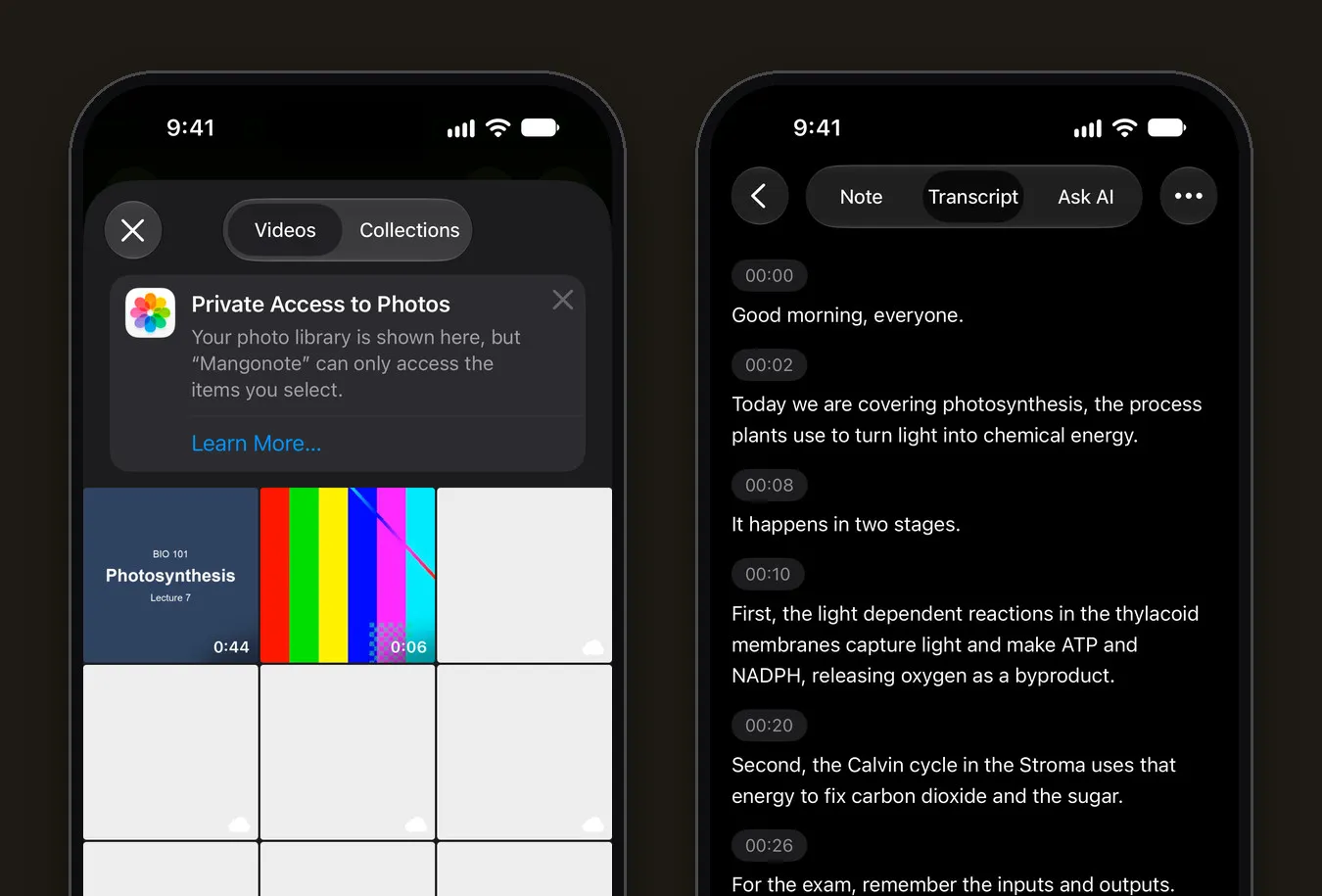
The full walkthrough is in how to transcribe a video on iPhone.
Recording vs. taking notes by hand
Recording doesn’t replace listening. A good routine for many students is to write a few headings and questions by hand during the lecture, then use the transcript and AI notes afterwards to fill the gaps. You keep the active thinking, and you don’t lose the details.
Related guides
- Whisper transcription on iPhone, offline: which on-device model to pick for your language
- Offline voice transcription on iPhone
- How to record a meeting and get AI meeting notes
- How to Take Good Notes in Class: 5 Methods That Work
- Note-Taking With ADHD or Dyslexia: Try Voice First
Questions about Mangonote Plus or the free plan? See Support.
Frequently asked questions
Is it allowed to record lectures?
It depends on your school and the lecturer. Many universities have a recording policy, and students with an accommodation can often record through the accessibility or disability services office. Ask first.
Does recording work in a lecture hall with no signal?
Yes. Mangonote records and transcribes on the iPhone, so it works without Wi-Fi or mobile data. AI study notes and Ask AI need a connection, so they can wait until you're back online.
How long a lecture can I record?
The free plan has a time limit per recording, shown on the recording screen, and Mangonote Plus removes it. A 90-minute lecture fits comfortably on Plus. For imported files, the app recommends audio under 2 hours.
Can it transcribe lectures in other languages?
Yes. Whisper covers about 100 languages and Omnilingual up to 1,600, all on the device. You can also have the study notes written in a different language from the lecture.
Can I turn a recorded lecture video into notes?
Yes. Import the video from Photos with + › Video. Mangonote transcribes its audio track like any recording.
Is Mangonote free for students?
You can start for free. The free plan has daily limits, for example 5 Ask AI messages a day. Mangonote Plus removes the limits.
Start capturing the thoughts you keep losing
Download Mangonote, record your first note, and watch it become searchable text in seconds, right on your iPhone.