
TurboScribe has no iPhone app: it’s a website you open in Safari, and your files are uploaded to its servers to be transcribed. If you want a TurboScribe alternative that runs on the iPhone itself, Mangonote imports audio and video files and transcribes them on the device, even offline, then writes AI summaries if you want them. TurboScribe is still the stronger pick for very long files, big batches, speaker labels and subtitle files. Here’s how they compare.
We make Mangonote. TurboScribe facts come from TurboScribe’s own pricing page, help center and security and privacy FAQ, as of 13 November 2026.
Is there a TurboScribe app for iPhone?
No. TurboScribe’s help center says there is no TurboScribe app in the App Store or Google Play, and that its website is mobile-friendly. You can add it to your Home Screen from Safari (Share › Add to Home Screen). TurboScribe also warns that any app presenting itself as TurboScribe is not official, so be careful with look-alike apps in the App Store.
So on an iPhone you have two options: use TurboScribe’s website in Safari and upload your files, or use an app that transcribes on the phone.
TurboScribe vs. Mangonote at a glance
| TurboScribe | Mangonote | |
|---|---|---|
| How you use it | Website, in any browser | iPhone app |
| Where speech becomes text | TurboScribe’s servers (“in-house”, per its FAQ), powered by Whisper | On the iPhone, offline |
| Works offline | No, it’s a website | Yes, transcription and recording |
| Free plan | 3 transcripts a day, up to 30 minutes each | Free to start, with limits; Mangonote Plus removes them |
| Paid plan | Unlimited: $20/month, or $10/month billed yearly | Mangonote Plus (App Store) |
| File length | Up to 10 hours or 5 GB per file on Unlimited | Recommended under 2 hours |
| Batch upload | Up to 50 files at a time on Unlimited | One file at a time |
| Speaker labels | Yes, optional | No |
| Languages | 98+ | About 100 (Whisper), up to 1,600 (Omnilingual) |
| Translation | Into 134+ languages (paid) | Not built in; ask AI to translate a summary |
| AI summaries and chat | Not listed on the pages we read | Yes, optional, with your choice of AI model |
| Export | PDF, DOCX, TXT, CSV, SRT, VTT | Text, PDF, audio; all notes as Markdown |
| Account | Email sign-up shown on the pricing page | Not needed |
| AI training | Doesn’t train on your files, per its FAQ | Audio isn’t uploaded; AI gets only note text, after you agree |
When TurboScribe is the better pick
Be fair to it. TurboScribe is built for heavy file transcription:
- Very long recordings. Up to 10 hours per file on the paid plan. Mangonote recommends files under 2 hours.
- Big batches. Upload 50 files at once and export up to 1,000 files from a folder.
- Speaker recognition, with 2 to 8 speakers or automatic detection.
- Subtitles and office formats: SRT, VTT, DOCX and CSV, plus translation into 134+ languages.
- A computer workflow. If your files live on a laptop, a website is the natural place to drop them.
When an iPhone app fits better
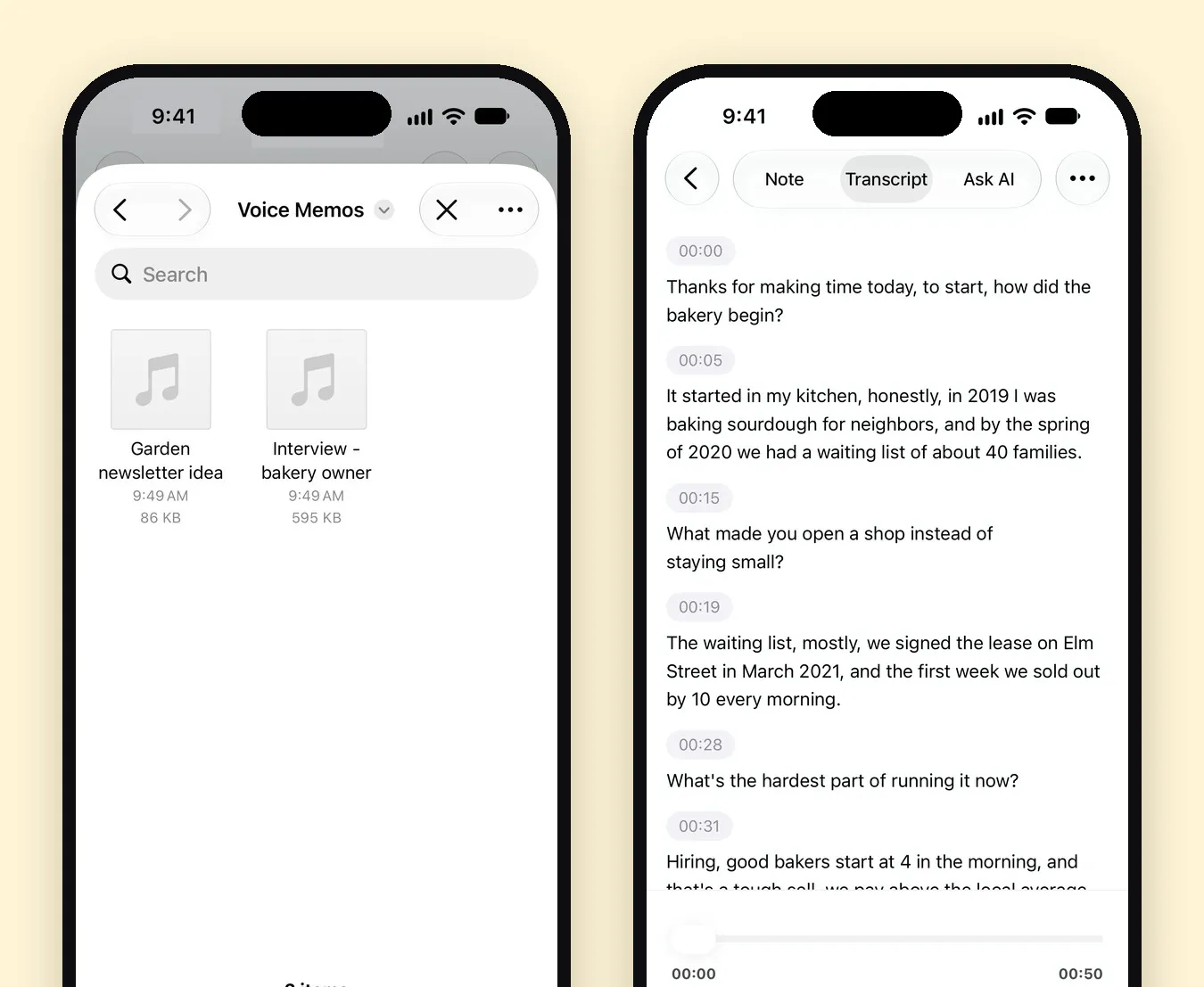
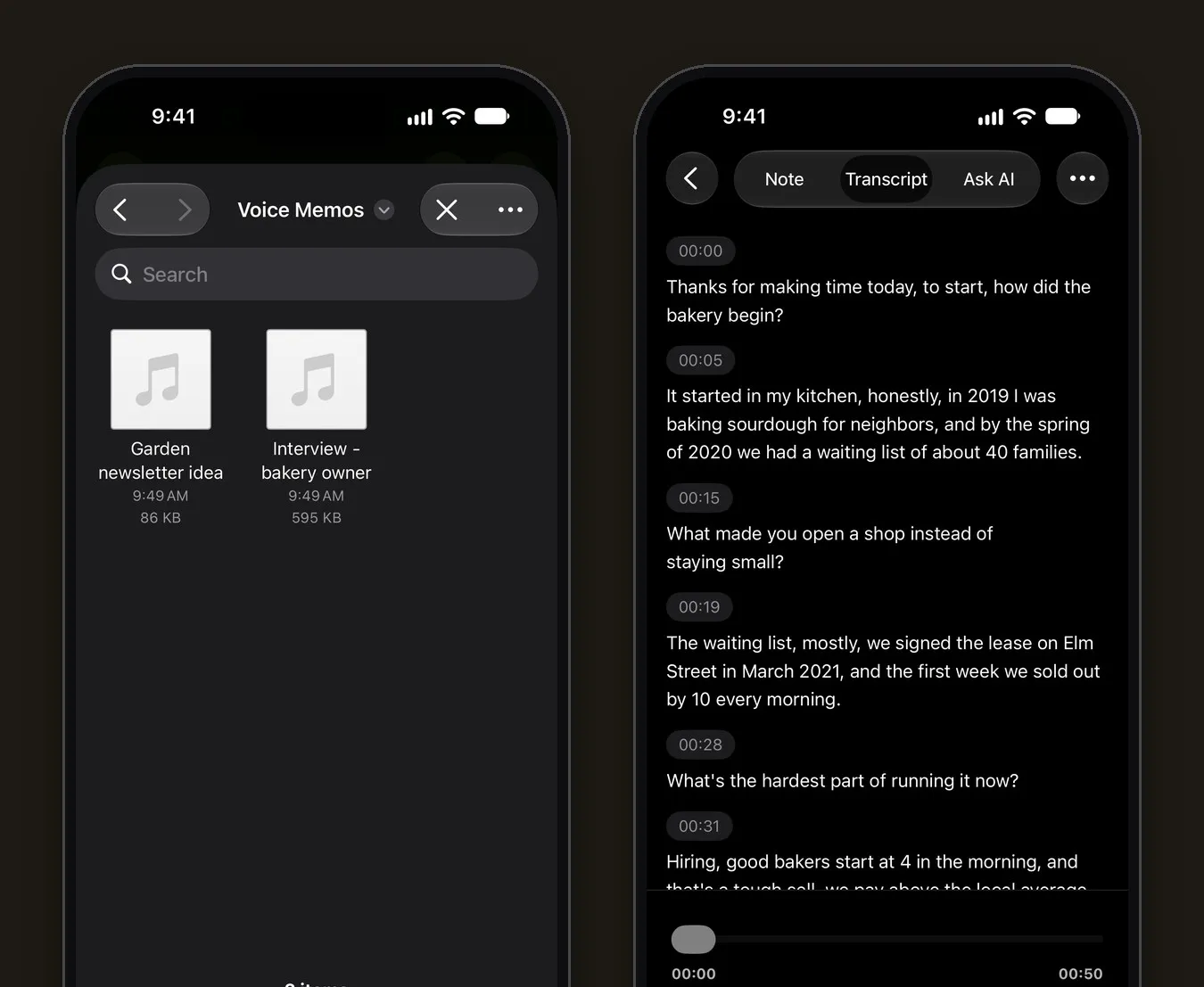
- The file is already on your phone. Voice memos, WhatsApp audio, call recordings and screen recordings import straight from Files or Photos. See how to transcribe an audio file on iPhone.
- You’d rather not upload it. Mangonote transcribes on the iPhone; the audio isn’t sent anywhere. That matters for interviews, medical or legal notes, and anything confidential. More in 7 privacy questions to ask any AI note taker.
- No signal. On-device transcription works on a plane or in a basement.
- You also record. The same app records lectures and meetings, so live recordings and imported files end up in one library.
- You want notes, not just text. Optional AI summaries, action items and Ask AI turn the transcript into something you can use.
How to transcribe a file on iPhone without uploading it
- Save the file to the Files app (from Mail, Messages, AirDrop or a cloud drive).
- In Mangonote, tap + and choose Audio (or Video for a video in Photos).
- Pick the file. Mangonote transcribes it on the iPhone.
- Tap View Note, open the Transcript tab, fix names, then summarize or export.
For videos, see how to transcribe a video on iPhone.
Related guides
- How to transcribe an audio file on iPhone
- How to transcribe a video on iPhone
- Offline transcription on iPhone
- Whisper transcription on iPhone
Frequently asked questions
Is there a TurboScribe app for iPhone?
No. TurboScribe's help center says there is no TurboScribe app in the Apple App Store or Google Play, and that its website works on phones. It warns that apps claiming to be TurboScribe are not official.
How much does TurboScribe cost?
As of November 2026, the free plan allows 3 transcripts a day, each file up to 30 minutes. TurboScribe Unlimited is $20 a month, or $10 a month billed yearly ($120), per TurboScribe's pricing page.
Does TurboScribe train AI on my files?
TurboScribe's security FAQ says it does not train AI or machine learning models on your media files or transcripts. Files are uploaded and transcribed on TurboScribe's own servers.
Can I transcribe audio files on iPhone without uploading them?
Yes. Mangonote imports audio and video files and transcribes them on the iPhone, so the audio isn't uploaded and it works offline.
What does TurboScribe do better?
Very long files (up to 10 hours each), batches of up to 50 files, speaker recognition, translation and subtitle exports like SRT and VTT. Mangonote recommends files under 2 hours and doesn't label speakers.
Start capturing the thoughts you keep losing
Download Mangonote, record your first note, and watch it become searchable text in seconds, right on your iPhone.