An AI note taker is private when your audio never has to leave your device, AI features are optional, and the app says clearly what it sends, to whom, and whether anyone trains on it. The quickest check: does it transcribe on the device, and can you turn AI off? Mangonote transcribes on the iPhone and sends no audio anywhere; only note text goes to an AI model, after you agree, and AI can be switched off.
Below are seven questions to ask any AI note taker, with Mangonote’s answers and where to find other apps’ answers.
Why privacy matters more for voice notes
Recordings hold things people would never type into an app: a client’s numbers, a colleague’s complaint, a diagnosis, a child’s voice. They also capture other people, who didn’t choose your app. That’s why the details of where audio goes matter more here than for a to-do list.
1. Where is speech turned into text?
Why it matters: if transcription happens on a server, your audio is uploaded, at least for a while.
Mangonote: on the iPhone. The speech models run on the device, which is also why transcription works offline.
Other apps: look for words like “on-device”, “locally” or “offline”. If the site only says “secure cloud processing”, the audio goes to a server. Some vendors say so plainly: Plaud’s Trust Center says its data is transferred to the cloud for processing, and Granola describes cloud processing in its privacy post. Others offer a choice: AudioPen lets you pick cloud or on-device transcription per device (audiopen.ai), and Aiko runs Whisper on the device (sindresorhus.com/aiko). As of November 2026.
2. Is the audio stored, and where?
Mangonote: on your iPhone, and with iCloud sync on, in your own iCloud account (Files › iCloud Drive › Mangonote). Not on Mangonote’s servers.
Other apps: check whether recordings are kept on the vendor’s servers, for how long, and whether you can delete them.
3. What text goes to an AI model, and to whom?
Why it matters: summaries and chat need a large language model, and most run in the cloud.
Mangonote: only for summaries, titles and Ask AI, the note’s text and your chat messages go through Mangonote’s server and OpenRouter to the provider of the model you picked: OpenAI, Anthropic, Google or DeepSeek. Never the audio. When Ask AI looks something up, the search terms go to DuckDuckGo and Wikipedia. The privacy policy lists all of this.
4. Is your data used to train AI?
Mangonote: the privacy policy names who receives the text of AI requests: OpenRouter and the provider of the model you pick. Those providers’ own terms govern what they do with it. If you’d rather share no text at all, turn AI off (question 6).
Other apps: this is where policies differ most, so read the exact wording. As of November 2026, Voicenotes says it does not train on your data (pricing page), Fireflies says it does not use meeting data to train AI models (pricing page), Plaud says training needs explicit opt-in (Trust Center), and Otter’s privacy page says it de-identifies user data before training its own models.
5. Do you need an account?
Mangonote: no. There’s no sign-in; AI requests carry an anonymous app ID used for daily limits, with no name or email.
Other apps: an account isn’t bad in itself (it’s how team apps share notes), but it ties your recordings to your identity.
6. Can you turn AI off?
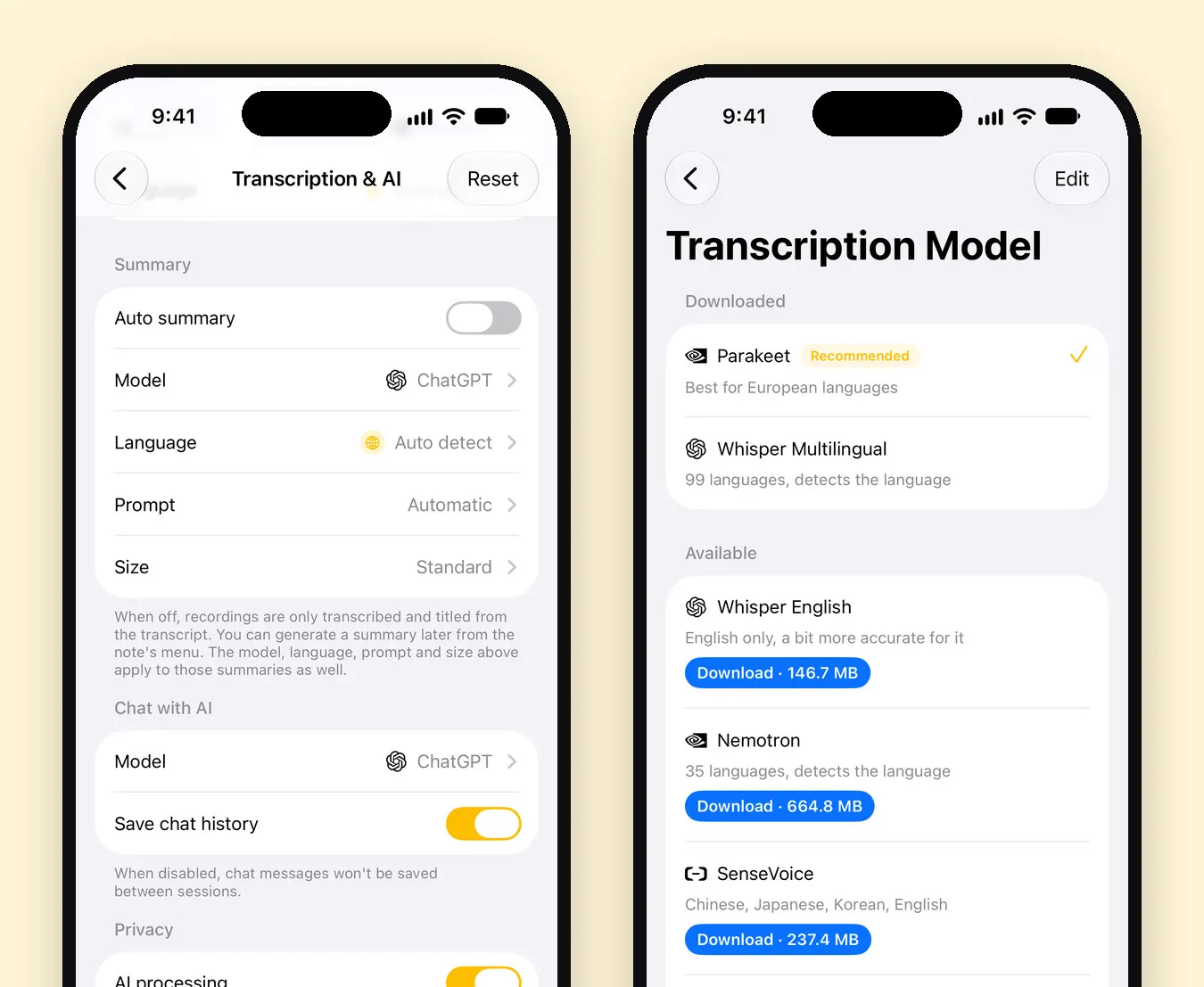
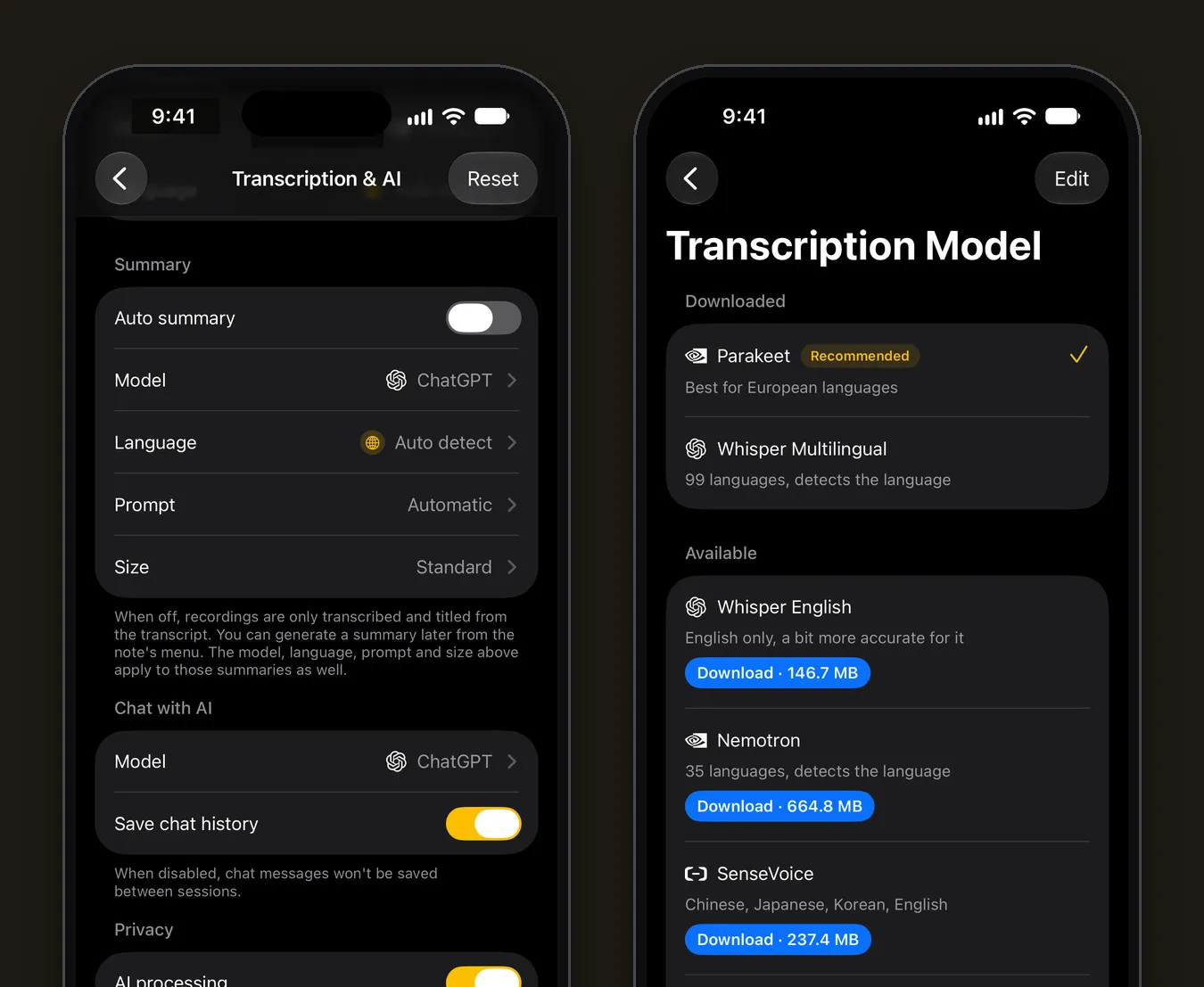
Mangonote: yes, in Settings › Transcription & AI › AI processing. With it off, nothing is sent; recordings are still transcribed and titled on the iPhone. You can also keep AI on but switch Auto summary off, and summarize only the notes you choose.
7. Does it join calls, and does everyone know?
Why it matters: meeting bots join video calls and record everyone. That’s useful, and it’s also the feature most likely to record people who didn’t agree.
Mangonote: it doesn’t join calls. It records through the iPhone microphone, or transcribes files you import. Whatever app you use, tell people you’re recording; in some places it’s required by law.
How to check any app in five minutes
- App Store › App Privacy. Every iPhone app’s page has a privacy section declaring what data it collects and whether it’s linked to you or used to track you.
- The privacy policy. Search it for “audio”, “recording”, “train”, “third party” and “retention”.
- The AI page or FAQ. Look for a plain statement on training and on where processing happens.
- Settings in the app. Is there an AI off switch? A delete-all option?
- Offline test. Turn on airplane mode and record. If it still transcribes, it’s on the device.
A setup for sensitive recordings
For a doctor’s visit, a legal conversation or a confidential meeting:
- Turn AI processing off before you record.
- Record or import as usual; the transcript is made on the iPhone.
- Keep the note in its own folder, and delete it when you no longer need it. Settings › Clear cache removes leftover audio files that no longer belong to a note, and Settings › Delete all data removes everything from the iPhone and your iCloud.
Related guides
- Offline voice transcription on iPhone: how it works
- Whisper transcription on iPhone, offline
- How to transcribe an interview
- Voice Journaling on iPhone: Keep a Diary by Talking
Frequently asked questions
What is the most private way to use an AI note taker?
Pick an app that transcribes on the device, keep AI features off for sensitive recordings, and store recordings in an account you control. With on-device transcription, the audio doesn't have to leave your phone at all.
Does Mangonote upload my recordings?
No. Mangonote transcribes on the iPhone, and recordings are never sent to Mangonote or to any AI service. With iCloud sync on, they're stored in your own iCloud account.
What does Mangonote send to AI providers?
Only for summaries, titles and Ask AI, and only after you agree, the note's text and your chat messages go through Mangonote's server and OpenRouter to the provider of the model you picked (OpenAI, Anthropic, Google or DeepSeek), with an anonymous app ID and no name or email.
Can I use Mangonote without any AI?
Yes. Turn off AI processing in Settings › Transcription & AI. Recordings are still transcribed and titled on the iPhone, and nothing is sent.
Do I need an account?
No. Mangonote works without signing up; requests that use AI carry only an anonymous app ID.
How do I check another app's privacy?
Read the App Privacy section on its App Store page, its privacy policy, and any statement about AI training. Look for clear answers on where audio is processed and whether it's kept.
Start capturing the thoughts you keep losing
Download Mangonote, record your first note, and watch it become searchable text in seconds, right on your iPhone.