To take sermon notes on iPhone, write down the date, speaker and passage, the main points, one or two key verses or quotes, and a short personal application. If your church allows it, record the sermon in an app like Mangonote so you can listen fully: it’s transcribed on your iPhone, and AI can turn the transcript into notes in your template. Many churches also publish their sermons, which you can import instead of recording.
A simple sermon notes template
# [Sermon title]
**Date:** [date]   **Speaker:** [name]   **Series:** [series]
**Passage:** [book chapter:verses]

## Main points
1. [Point]
2. [Point]
3. [Point]

## Key verses and quotes
- [Reference or quote]

## What stood out to me
- [One or two lines]

## This week I will
- [One practical step]

## Questions to think about
- [Question]
Recording a sermon: ask first
Before you record:
- Check the church’s policy. Some welcome it, some don’t, and some already post audio or video online.
- Use the official recording when there is one. Download it and import it into Mangonote with + › Audio, or + › Video from Photos.
- Be discreet. Phone on silent, screen down, Do Not Disturb on.
Record and transcribe the sermon
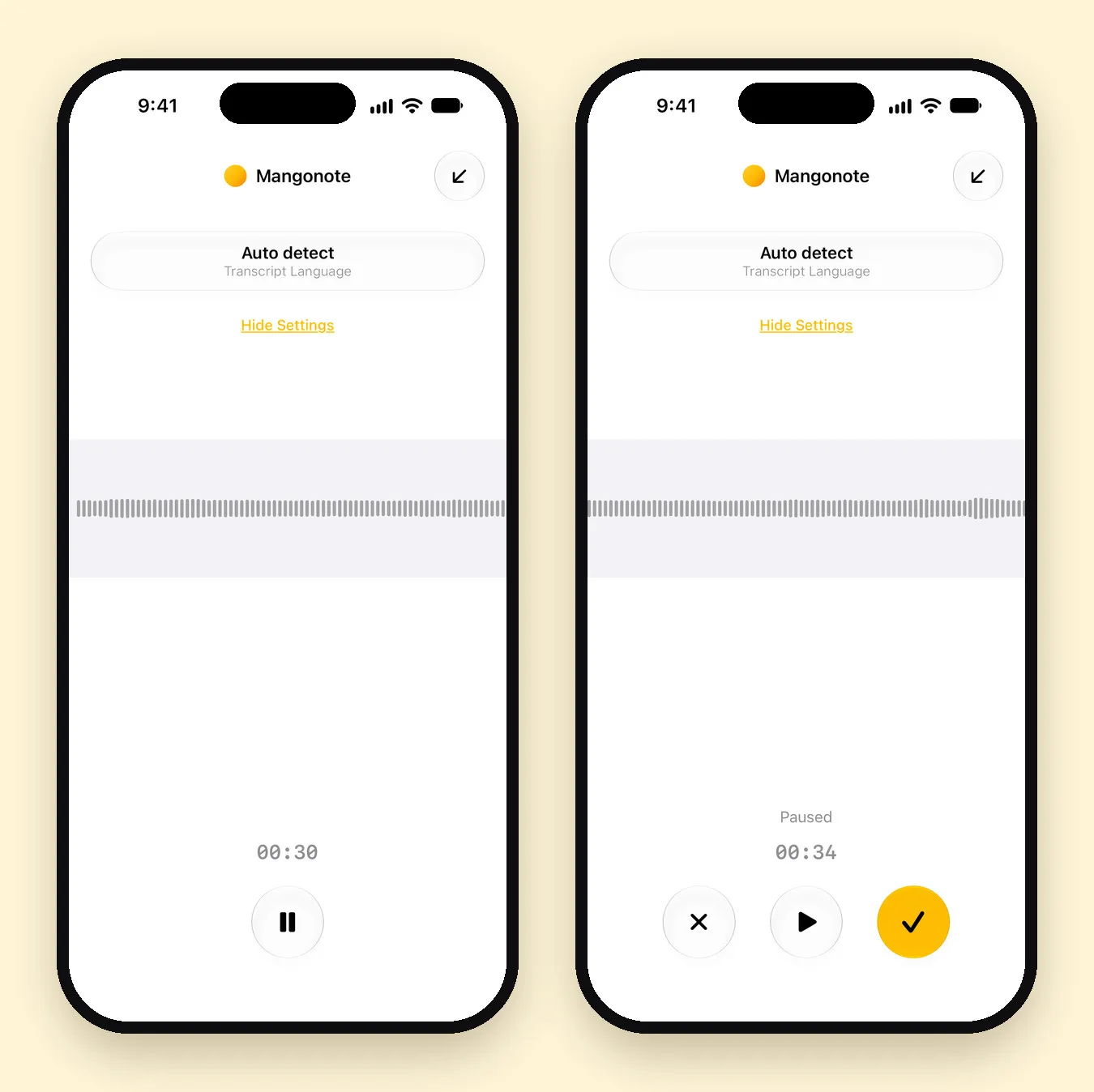
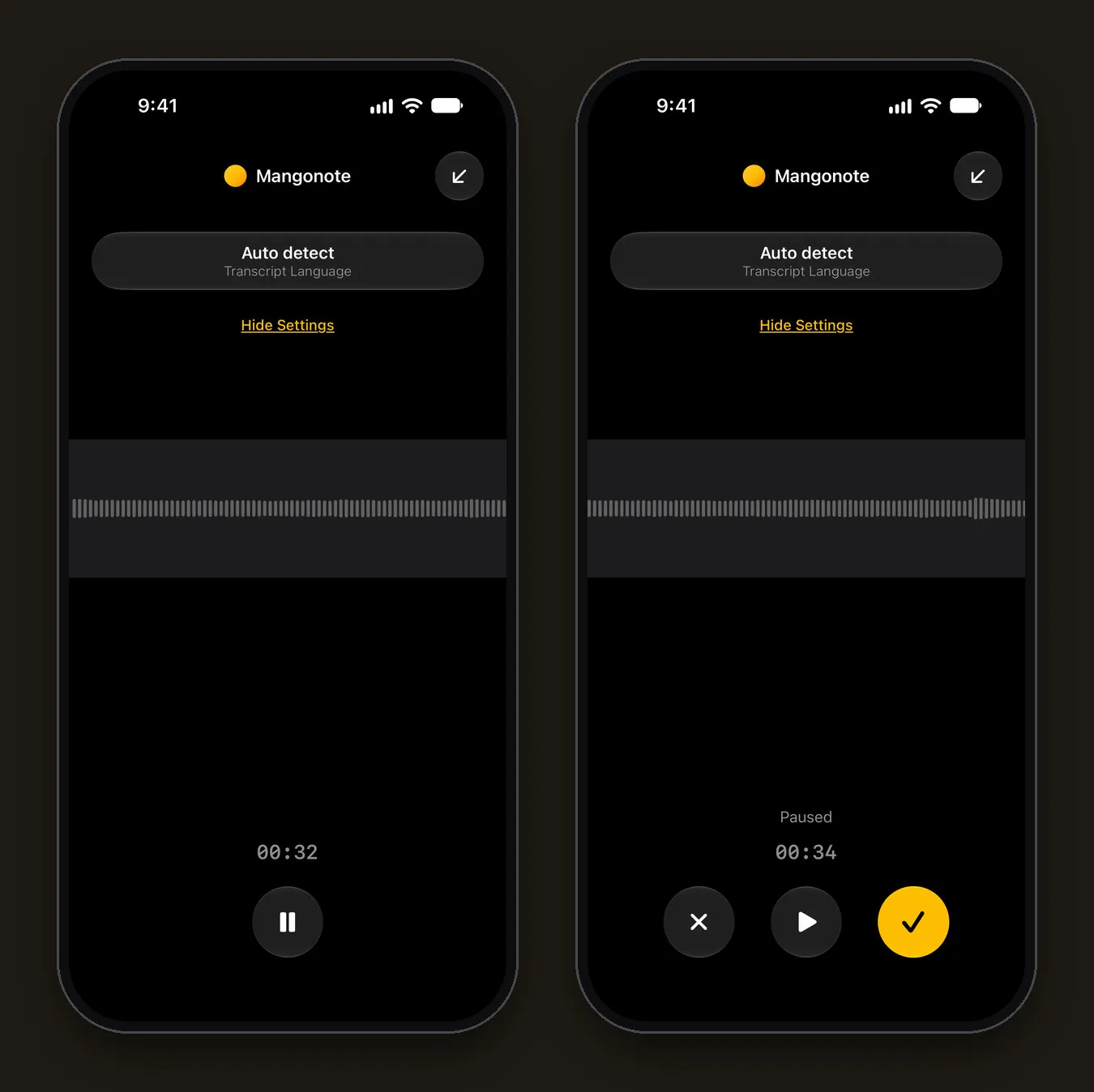
- Tap Start Recording in Mangonote. Set the Transcript Language on the recording screen if you know it.
- Leave the phone face down and listen.
- At the end, pause and tap the checkmark. The transcript is made on your iPhone, with or without a signal in the building.
Turn the transcript into sermon notes
Save a prompt that matches your template in Settings › Transcription & AI › Prompt › +:
Write sermon notes: the main points as a numbered list in the speaker’s own words, the Bible passages and quotes mentioned, and three questions for personal reflection. Don’t add teaching or interpretation that isn’t in the sermon.
Then tap Generate summary on the Note tab. A few more things you can do:
- Ask AI “Which passages were mentioned?” and check each reference yourself; speech recognition can mishear numbers.
- Edit the note to add what stood out to you. Your own words are what you’ll remember.
- Share the notes with a small group: note menu (•••) › Share › Share Note Text.
Keep a sermon series together
- Make a folder per series or per year. Folders appear as chips at the top of Home.
- Search looks through every transcript, so you can find “the sermon about forgiveness” months later.
- Settings › Export all notes saves everything as Markdown files if you keep a journal in another app.
Privacy
Recordings are transcribed on your iPhone and aren’t sent to Mangonote or to any AI service. AI summaries send only the transcript text to the AI model you pick, after you agree; you can turn AI off in Settings › Transcription & AI › AI processing and keep just the transcript.
Related guides
- How to take good notes in class: 5 methods
- Voice journaling on iPhone
- How to summarize a recording with AI
Frequently asked questions
What should sermon notes include?
The date, speaker and passage, the main points, key verses or quotes, and a short personal application or question. Keep it brief enough that you'll actually reread it.
Is it OK to record a sermon?
Ask first. Many churches publish their sermons online, which you can import instead. Respect the church's policy and the privacy of others in the room.
Can the app find the Bible passages mentioned?
AI can list the references it hears in the transcript, but it can mishear them. Check each reference yourself before relying on it.
Does it work without internet in church?
Yes. Recording and transcription happen on the iPhone. AI summaries need a connection, so they can wait until later.
Which languages work?
Mangonote transcribes about 100 languages with Whisper and up to 1,600 with Omnilingual, so sermons in many languages can be transcribed on the device.
Start capturing the thoughts you keep losing
Download Mangonote, record your first note, and watch it become searchable text in seconds, right on your iPhone.